best cheap seo
Published January 3, 2026
You don’t need a big budget to improve your local SEO and attract customers. Here’s the quick rundown:
- Google Business Profile: Optimize it for free to boost visibility in local searches. Complete all fields, add photos, and keep updates fresh.
- Keyword Research: Use free tools like Google Keyword Planner or AnswerThePublic to find local search terms.
- Local Citations: Ensure your business info (name, address, phone) is consistent across directories like Yelp or Apple Maps.
- Reviews: Ask for customer feedback and respond promptly to build trust.
- Content: Create localized pages and blog posts targeting specific neighborhoods or areas you serve.
- On-Page SEO: Use local keywords in titles, meta descriptions, and headers. Optimize images and URLs for local relevance.
Automation tools like Local SEO Bot ($99/month) can save time by managing citations, reviews, and rankings. Whether you DIY or automate, staying consistent is key to improving your rankings and bringing in more customers.
How to Optimize Google Business Profile for Free
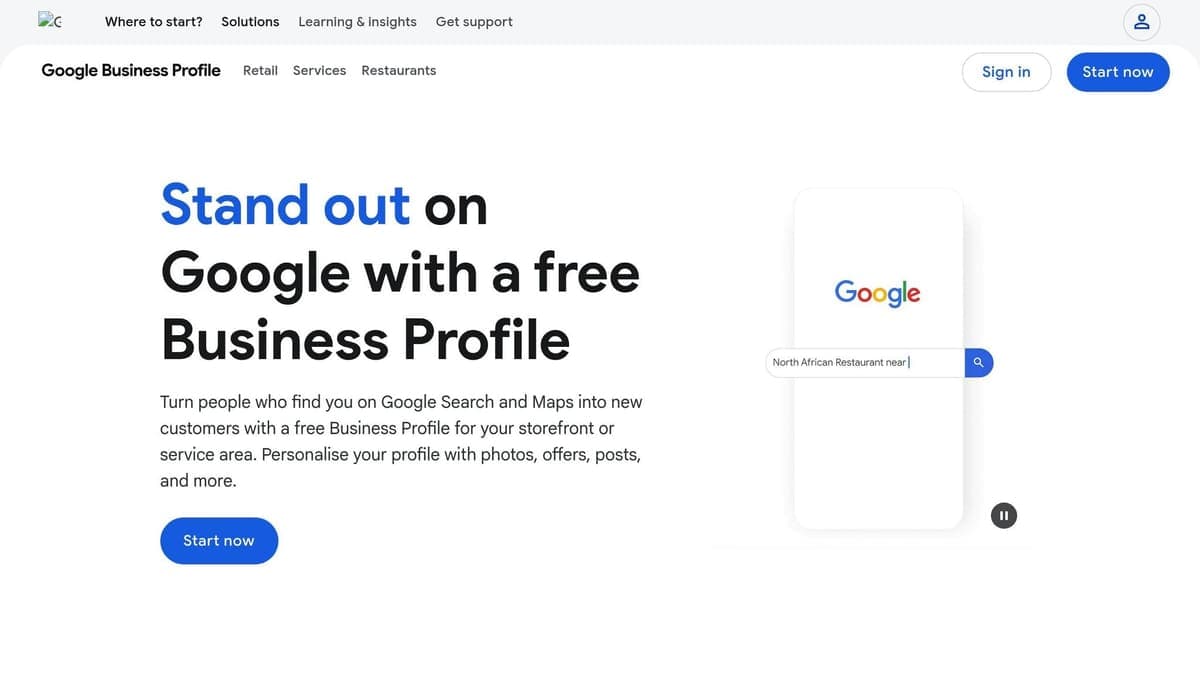
Optimizing your Google Business Profile is a game-changer for local SEO, and the best part? It doesn’t cost a dime. A well-optimized profile can boost your visibility in local searches, helping you connect with potential customers right when they’re ready to make a purchase.
Did you know? 70% of customers are more likely to visit a business with a complete Google Business Profile. Your profile shows up directly in Google search results and on Google Maps, making it an essential tool for attracting local customers.
Claim and Verify Your Google Business Profile
Start by heading to google.com/business. Click "Manage Now" and search for your business. If it’s already listed, claim it. If not, create a new listing and follow the prompts to add your business details, such as type, category, and contact information.
Verification is key to proving that you’re authorized to manage the profile. Google will send you a PIN by mail or provide a verification code via phone. Make sure your Name, Address, and Phone number (NAP) are consistent across your website and other online directories. This consistency builds trust with Google’s algorithm.
Complete Your Business Information
Your business category matters - a lot. Pick one primary category that best represents your business. If needed, you can add two or three secondary categories to expand your reach while keeping your focus clear.
Take full advantage of the 750-character limit for your business description. Use this space to highlight what sets you apart, share your story, and showcase your services. Sprinkle in local keywords naturally to help your profile rank better in searches. Don’t skip any fields - fill out everything, from your hours of operation to attributes like “wheelchair accessible” and service areas. Complete profiles tend to perform better in search rankings.
Upload Photos, Posts, and Regular Updates
Here’s a fact to keep in mind: Profiles with photos get 42% more direction requests on Google Maps. Add high-quality photos of your storefront, interior, and even your products or services. These visuals help customers feel more familiar with your business before they visit.
Use the "Add update" feature to post weekly updates. Share promotions, events, or important announcements. These updates appear in search results and remain active for about seven days. As Darren Shaw explains:
"Most businesses are doing Google Posts all wrong. They treat their Google Business Profile like a social media profile, but it is NOT. GBP is the one platform that people visit with the intent to BUY, so lean into that."
If you enable the messaging feature, make sure you’re ready to respond quickly. Your average response time is visible to users, so staying prompt can make a great impression.
Once your profile is fully optimized, you’ll be ready to take your local SEO efforts further. Start exploring free keyword research tools to keep building momentum.
Free and Low-Cost Keyword Research Tools
Local keywords are essential for connecting with customers actively searching for businesses like yours. Luckily, there are affordable and free tools that make it easier for small businesses to target local searches effectively.
Best Free Keyword Research Tools
Google Keyword Planner is often considered the go-to tool for keyword research because it pulls data straight from Google's search engine. To use it, you'll need a free Google Ads account. Once in, you can filter results by your city or even narrow it down to a 15km radius to see local search volumes. A tip: set up a "dummy" ad campaign without running it to unlock exact search volume figures instead of broad ranges.
AnswerThePublic is perfect for finding question-based searches, which are especially useful for voice search optimization. Since 76% of people use voice search weekly to find local businesses, this tool helps you identify conversational phrases like "where can I find affordable vegan ice cream in Seattle?" It’s free, though it limits the number of daily searches.
Semrush's Keyword Magic Tool provides up to 10 free searches per day, offering keyword difficulty scores and search volume data for localized terms like "Seattle dentist". Similarly, Ahrefs' Free Keyword Generator gives up to 100 keyword ideas and 50 question-based queries, complete with difficulty scores - no account required.
Ubersuggest has a Chrome extension that overlays SEO metrics directly onto Google search results. It also includes a competitor gap analysis feature, showing which keywords your competitors rank for that you might be missing. Meanwhile, Google Trends helps you track seasonal patterns and spot local topics gaining traction before they become overly competitive.
| Tool | Best For | Free Limit |
|---|---|---|
| Google Keyword Planner | Accurate local search volume | Unlimited (with Google Ads account) |
| AnswerThePublic | Voice search & FAQ ideas | Limited daily searches |
| Semrush | Competitor keyword gaps | 10 searches per day |
| Ahrefs Generator | Quick difficulty scores | 100 ideas per search |
| Ubersuggest | SERP overlay insights | Daily search limits |
These tools can help you pinpoint valuable local keywords to use across your online platforms.
How to Apply Keywords for Local SEO
Strategically placing keywords is key to improving your local SEO. Start with your Google Business Profile by incorporating your primary local keyword into your business description. For example, phrases like "emergency plumber Chicago" or "affordable plumber near Wicker Park" can be woven naturally into your profile.
Strong local keywords often consist of three components: a modifier (e.g., "best", "emergency", or "affordable"), your main service (like "plumber"), and a location (such as "Chicago" or "near me"). High-intent modifiers like "open now" or "24-hour" are particularly effective for capturing ready-to-buy customers.
On your website, make sure to include your primary keyword early - ideally in your H1 headline and meta description. If your business serves multiple neighborhoods, create unique landing pages for each area with tailored content rather than duplicating text. Go beyond just city names; include neighborhoods, zip codes, and well-known landmarks to attract hyperlocal traffic.
Here’s a simple and free method to uncover keywords without using tools: type your service into Google and explore the auto-suggestions. These represent real-time popular searches in your area. Scroll down to check out "Related searches" and click through the "People Also Ask" sections. These can reveal low-competition questions that you can turn into FAQ sections or blog posts.
Building Local Citations on a Budget
What Are Local Citations?
A local citation is any online mention of your business's NAP - name, address, and phone number. These mentions can appear on platforms like Yelp, Apple Maps, business directories, apps, or even your local Chamber of Commerce website. Search engines rely on these citations to confirm your business's legitimacy and location.
Consistency matters. For instance, if your phone number is formatted as (555) 123-4567 on one site but listed as 555-123-4567 elsewhere, search engines may interpret this inconsistency as conflicting information. This confusion can hurt your local rankings quickly. Instead of focusing on quantity, aim for 30–40 high-quality citations, as they carry far more weight than hundreds of low-quality listings.
"Citations are a cornerstone of local SEO. They build trust, verify your business, and are a significant signal to search engines about your local relevance." – Moz
Since creating citations can be a repetitive and time-intensive task, automation tools are a great way to simplify the process.
Using Local SEO Bot for Citation Building
Given how important high-quality citations are, automating the process can save you both time and effort. Manually building citations is not only tedious but also prone to errors. Tools like Local SEO Bot streamline this process by offering a one-click citation building feature. This platform distributes your NAP data to key aggregators such as Data Axle and Neustar Localeze, ensuring consistent and widespread coverage across hundreds of sites.
Consistency is crucial, and Local SEO Bot ensures your NAP data is uniform across all platforms. Even minor formatting differences can impact your rankings, so having a tool that manages this centrally is invaluable. With a dashboard that lets you oversee listings on platforms like Google Business Profile, Bing Places, and Facebook, Local SEO Bot provides an affordable solution at $99 per month. This automation not only saves time but also helps small businesses maintain effective local SEO without breaking the bank.
Managing Reviews and Tracking Rankings on a Budget
Boosting your local SEO game isn’t just about optimizing your Google Business Profile or using keyword tools. To truly stay ahead, managing reviews and keeping tabs on your rankings are just as critical.
Getting and Managing Customer Reviews
Customer reviews are a major factor in local search rankings. Google looks at the quality, quantity, and how recent your reviews are to decide where your business appears in the Map Pack. Here’s a stat that might surprise you: 99% of consumers read online reviews when researching local businesses, and 92% of them view a business owner’s response as a sign of excellent customer service.
To keep those reviews rolling in, ask customers for feedback right after you’ve completed a service. You can make this process easy by generating a review link or QR code from your Google Business Profile. Display it on receipts, signage, or even in follow-up texts. A small effort here can lead to a big increase in reviews.
But collecting reviews isn’t enough - you’ve got to respond to them too. Here’s what Miriam Ellis, Local Search Scientist at Moz, has to say:
"Ignoring reviews results in a failure to serve and engage with your existing consumer base, win back customers who have left negative reviews, and benefit from the business intelligence gained when review sentiment is analyzed."
Make it a point to respond to all reviews within a few days. Use professional and empathetic messages, and offer private resolutions when addressing negative feedback. This not only shows your commitment to customer satisfaction but also helps build trust with potential clients.
For a more hands-off approach, tools like Local SEO Bot can simplify review management. For $99 per month, you can automate responses and manage all your reviews from one dashboard. This means no more jumping between platforms, and you’ll save time while staying engaged with customers.
When done right, managing reviews works hand-in-hand with keyword strategies and citation building, creating a strong foundation for tracking your performance.
Tracking Local Rankings Without Spending Much
Once your review management is under control, the next step is to track your local search rankings. Knowing where you stand in search results helps you refine your strategy and identify areas for improvement. Here’s why it matters: 76% of people who perform a "near me" search visit a related business within a day. So, understanding your rankings can directly influence foot traffic and, ultimately, your revenue.
Start with free tools. Google Business Profile offers basic insights, like how customers find your business and which search terms they use. For more in-depth data, Google Search Console can show you which keywords are driving clicks and how your pages are performing overall. These tools are free and provide plenty of useful information to guide your decisions.
If you’re ready to dig deeper, Local SEO Bot offers ranking tracking as part of its all-in-one platform. It automatically monitors your positions on Google Maps and local search results, delivering regular updates on ranking changes. Plus, with features like citation building and review management included, it’s a comprehensive local SEO solution that won’t break the bank.
Low-Cost Content and On-Page SEO Tactics
Creating quality local content doesn't have to break the bank. With some smart strategies, you can produce content that ranks well in local searches while keeping expenses low.
Creating Content for Local Audiences on a Budget
Tap into your expertise to address common questions your customers have. Write blog posts or FAQ pages that focus on real concerns like, "How much does emergency plumbing cost in [Your City]?" or "When is the best time to schedule HVAC maintenance in [Your Neighborhood]?"
To find ideas, explore tools like Google's auto-suggestions, "People Also Ask", and "Related searches." For example, a bakery in Austin might discover popular searches such as "gluten-free bakery near downtown Austin" or "best birthday cakes in South Congress."
AI tools like ChatGPT can help you brainstorm titles and outlines, but make sure to include local details and personal insights to keep your content genuine and relatable.
If your business serves multiple neighborhoods, create separate landing pages for each area. Avoid simply swapping out city names in identical content. Instead, customize each page with local details, like nearby landmarks, parking tips, or neighborhood-specific services. For instance, a Chicago plumber could create one page for "affordable plumber near Wrigleyville" and another for "emergency plumbing in Lincoln Park", each featuring unique, localized information.
A great example of this strategy comes from Lindsey Bomgren, founder of the fitness site Nourish Move Love. Between 2019 and 2024, she used targeted SEO strategies to grow her site to an estimated 180,000 monthly visitors, turning her business into a six-figure success.
Before diving into new content, audit your existing pages. Updating them with clear headers, internal links, and localized meta descriptions can deliver quick results without requiring new content creation.
These tactics, combined with earlier SEO strategies, will help boost your local visibility. Once your localized content is ready, the next step is optimizing your on-page elements for search engines.
On-Page Optimization for Local SEO
With your local content in place, fine-tune your on-page elements to maximize your rankings. Start with title tags - those clickable headlines in search results. Keep them under 60 characters to prevent truncation, and place your main keyword and location up front. For example: "Emergency Plumber in Austin | 24/7 Service."
Your meta descriptions should briefly summarize the page and include a clear call-to-action, ideally within 120 to 160 characters. While they don’t directly affect rankings, they can improve click-through rates. For instance: "Call today for same-day service in downtown Boston."
Sherry Bonelli, owner of Early Bird Digital Marketing, offers this advice:
"Think of the Title of your page as an 'ad headline' and the Description as 'ad copy' – something that will entice people to click on YOUR listing among a sea of other businesses."
Use your H1 header to highlight your main service and location, such as "Roof Repair in Kansas City." Structure the rest of your content with H2 and H3 tags to make it easier for both users and search engines to navigate.
Keep your URLs short and descriptive. For example, use "/services/plumbing-chicago/" instead of something generic. When linking internally, use keyword-rich anchor text with local modifiers to naturally distribute authority across your site.
Don’t forget to optimize your images. Add alt text that includes local context, like "Storefront on Main St, Boston" or "Team installing solar panels in Phoenix neighborhood." This helps search engines understand your visuals and reinforces your local relevance.
Lastly, embed an interactive Google Map on your Contact or Location pages by pasting the HTML code from your Google Maps listing. This sends strong location signals to search engines. Free WordPress tools like Yoast or RankMath make managing these on-page elements easier, even if you’re not a tech expert.
| On-Page Element | Local SEO Optimization Tactic |
|---|---|
| Title Tag | Include primary keyword and location (max 60 characters) |
| Meta Description | Summarize page with a local call-to-action (under 160 characters) |
| H1 Header | Use the main service + location (e.g., "Emergency Plumber in Austin") |
| Alt Text | Describe images using local context (e.g., "Storefront on Main St, Boston") |
| URL Structure | Keep it short and descriptive (e.g., "/services/plumbing-chicago/") |
| Internal Links | Use anchor text with local modifiers to distribute authority |
These straightforward tactics can significantly improve your local search visibility. With nearly half of all Google searches focused on finding local information, optimizing these on-page elements ensures your business shows up when customers are ready to take action.
Comparing Affordable Local SEO Options
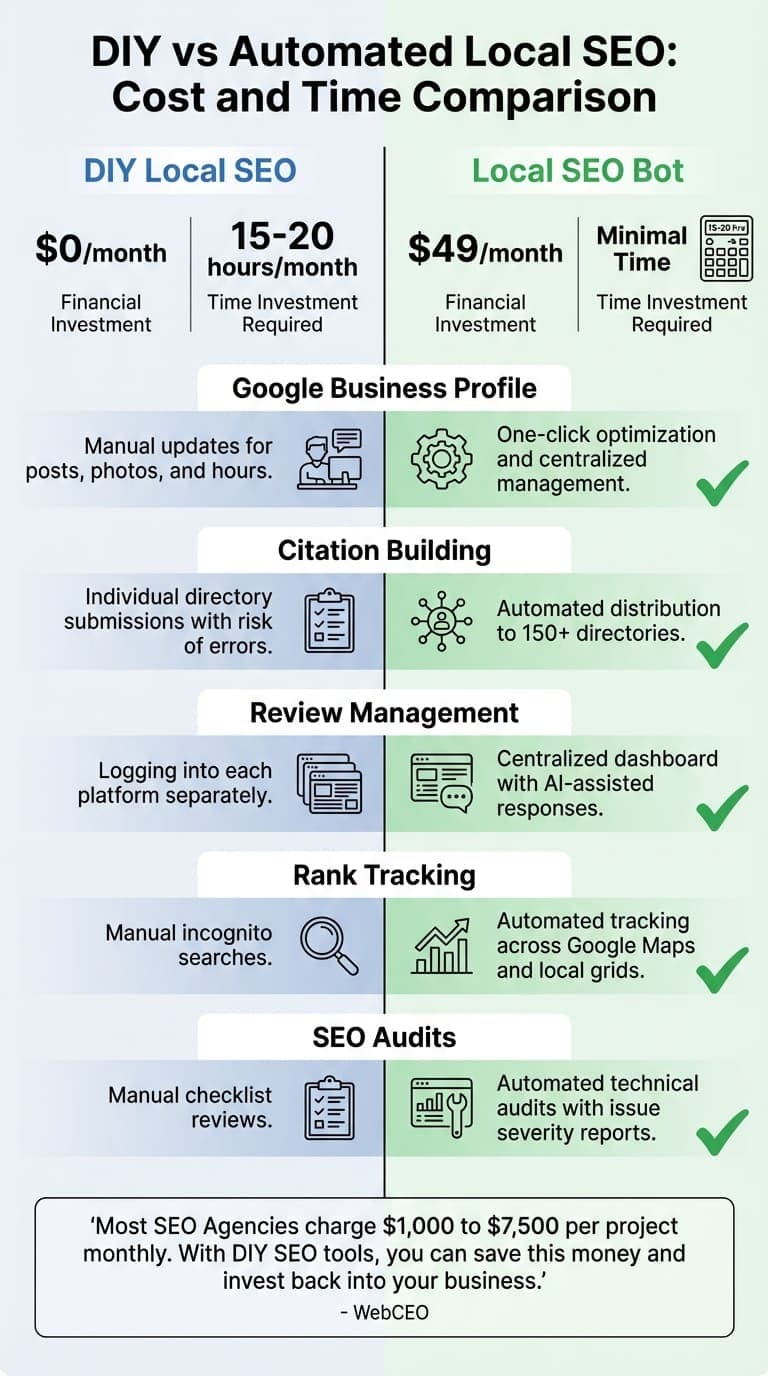
While manual local SEO methods can get the job done, automation offers a time-saving alternative. The question is: does saving 15–20 hours each month justify a small monthly expense? To help you decide, let’s break down the time and effort required for DIY methods compared to the streamlined efficiency of automation.
Local SEO Bot vs. DIY SEO Efforts
DIY SEO may not cost anything in software fees, but it demands a hefty time investment - about 30 to 40 minutes every day, which adds up to 15–20 hours a month. This time is spent juggling multiple platforms, manually submitting your business to directories, keeping up with reviews across various sites, and tracking your rankings through incognito searches.
On the other hand, Local SEO Bot’s Foundation plan, priced at $99 per month, automates these tedious tasks. It simplifies Google Business Profile management, ensures your business information is pushed to over 150 directories in one go, consolidates reviews from multiple platforms, and tracks your local rankings automatically.
Take the example of KuchyneValent, a kitchen and furniture manufacturer. In 2017, the company transitioned from offline-only sales to building a digital presence using automated SEO tools. By focusing on local organic traffic, they boosted their annual revenue from $100,000 to over $400,000. This shows how automating manual SEO tasks can unlock growth opportunities.
Here’s a side-by-side comparison of the two approaches:
| Feature | Manual DIY Efforts | Local SEO Bot (Foundation Plan) |
|---|---|---|
| Monthly Cost | $0 (but requires 15–20 hours of your time) | $99/month |
| Google Business Profile | Manual updates for posts, photos, and hours | One-click optimization and centralized management |
| Citation Building | Individual directory submissions with risk of errors | Automated distribution to over 150 directories |
| Review Management | Logging into each platform separately | Centralized dashboard with AI-assisted response drafting |
| Rank Tracking | Manual incognito searches | Automated tracking across Google Maps and local grids |
| SEO Audits | Manual checklist reviews | Automated technical audits with issue severity reports |
This table clearly shows how automation can save small businesses time and effort, allowing them to focus on other priorities.
As WebCEO explains:
"Most SEO Agencies charge their clients from $1,000 to $7,500 per project monthly, and maybe more. With DIY SEO tools, you can easily save this money... so you can invest the saved dollars back into your business".
Ultimately, small businesses must weigh the cost of their time against the convenience and consistency offered by automated SEO tools.
Conclusion
Local SEO levels the playing field, giving small businesses a chance to shine without needing massive budgets. The secret lies in being consistent, having a smart game plan, and using the right tools to make the process manageable.
"Local SEO is a long game, and those who stay consistent will see the strongest results. Keep refining, keep building, and let your reputation and rankings grow organically and affordably."
Here’s why it matters: 46% of all Google searches are local, and a staggering 76% of "near me" searchers visit a business within 24 hours. That’s a massive opportunity for businesses willing to put in the effort. Strategies like optimizing your Google Business Profile, ensuring consistent NAP (Name, Address, Phone) data, managing reviews, and targeting hyper-local keywords are low-cost but pack a punch when it comes to results.
To take things further, combining these tactics with automation can save you time and amplify your efforts. Tools like Local SEO Bot - available for $99/month - can handle tedious tasks like citation building, review management, and rank tracking, leaving you more time to focus on your business.
The numbers don’t lie: businesses with optimized Google Business Profiles see a 50% boost in local search traffic, and verified profiles are twice as likely to be trusted by consumers. That trust translates into more calls, foot traffic, and, ultimately, revenue.
Start with the basics - optimize your profiles, keep your information consistent, and engage with reviews. Automate where you can, stay the course, and watch your local presence grow. Your competitors are already showing up in search results - make sure your business is right there with them.
Related Blog Posts
Frequently asked questions
- What are the best ways to optimize my Google Business Profile for local SEO?
- Optimizing your Google Business Profile (GBP) is a smart, cost-free way to boost your local search visibility. Start by double-checking that all your details are accurate and up-to-date - this includes your business name, address, phone number (NAP), hours of operation, and website link. Choose the most specific primary category that fits your business, and don’t forget to add secondary categories to highlight any additional services you offer. To make your profile stand out, regularly upload high-quality photos of your storefront, team, or products - this makes your listing more engaging and visually appealing. Encourage your customers to leave reviews and make it a habit to respond to them quickly. When replying, try to naturally include keywords, like referencing your location or popular services, to improve relevance. Don’t overlook the “Posts” feature either - it’s a great way to share updates, promotions, or upcoming events. Also, ensure your service areas and business descriptions include local keywords to strengthen your connection to nearby searches. By keeping your profile active, accurate, and optimized, you’ll improve your chances of appearing in Google’s Local Pack, Maps, and those all-important "near me" searches - all without spending a dime.
- What are the best free tools to find local keywords?
- If you're trying to find local keywords without spending a dime, there are some fantastic free tools that can point you in the right direction: Google Keyword Planner: With a free Google Ads account, you can access data on search volume, competition, and even location-specific keywords. It's a solid starting point for anyone looking to refine their local SEO. Answer the Public: This tool is great for generating keyword ideas based on common questions and phrases people search for. It even includes location-based queries like "best pizza near me" or "top-rated gyms in [city]." BrightLocal’s Free Local SEO Tools: BrightLocal offers a local search results checker that reveals how your keywords perform in Google Search and Maps for specific cities or ZIP codes. It's a handy way to see where you stand in local rankings. These tools are perfect for small businesses in the U.S. looking to build precise, location-focused keyword strategies without spending a fortune.
- How can automation simplify local SEO management?
- Automation takes the hassle out of tedious local SEO tasks, making processes smoother and more efficient. For instance, it can handle citation updates, maintain NAP (name, address, phone) consistency across various platforms, and create performance reports - all without requiring hours of manual work. This frees up time for business owners to concentrate on bigger priorities, like refining strategies and enhancing customer experiences. It also simplifies managing online reviews by aggregating new feedback, offering quick-response options with pre-approved templates, and identifying sentiment trends. On top of that, automated tools for rank tracking and keyword research deliver daily insights, allowing businesses to tweak strategies on the go and remain competitive - all while keeping costs in check.