AI Review Responses: Fast, Safe Replies for Busy Businesses
Published August 18, 2026
AI Review Responses: Fast, Safe Replies for Busy Businesses

Yes, you should use AI to draft review responses, but only inside a workflow that catches risk before anything gets published. Raw copy-paste from a general chatbot invites errors: hallucinated names, wrong dates, and tone that doesn’t match your brand. A purpose-built system like Local SEO Bot solves that by pairing AI drafting with human review and saved brand messages, and vendors in this space report measurable payoffs. Reploi cites an average 0.4-star rating improvement within 90 days for businesses that reply consistently.
Your next move: pick one review from today, run it through an AI draft, personalize it, and publish or route it to a human if it touches anything sensitive.
- Use AI for: high-volume positive and neutral replies
- Route to humans: legal threats, safety complaints, or disputed facts
- Recommended path: a review-responder workflow like Local SEO Bot, not raw LLM output
Key Takeaways
AI-generated review responses work reliably for routine, low-risk feedback, but scaling them safely requires risk detection, approved messaging, and human review gates.
| Point | Details |
|---|---|
| Automate the routine | Let AI handle high-volume positive and neutral replies; route disputes and legal mentions to humans. |
| Follow a workflow, not a prompt | Ingest, classify risk, draft with brand messages, review, publish, and log every reply. |
| Personalize every template | Swap in real names, dates, and staff details; never post an identical reply twice. |
| Audit weekly | Sample auto-posted replies regularly each week to catch drift early. |
| Choose tools by scale | Free generators suit single locations; paid platforms add audit logs and bulk posting for agencies. |
| Localseobot as the production path | Local SEO Bot pairs automated review replies with GBP optimization and manual citations, backed by a 30-day money-back guarantee. |
Table of Contents
- When AI Helps and When It Backfires With Review Responses
- How Do You Build a Workflow for AI-Assisted Replies?
- Templates and Examples for Positive, Neutral, and Negative Reviews
- Best Practices for Personalization, Tone, and Timing
- Which Features Matter in Free vs. Paid AI Review Tools?
- How Local SEO Bot Fits an AI Review Response Workflow
- Legal and Ethical Considerations Beyond Platform Rules
- Managing Multi-Language and Multicultural Reviews With AI
- When I Reach for AI vs. a Human Reply
- Try Local SEO Bot for Automated Review Replies and Local SEO
- Sources
When AI Helps and When It Backfires With Review Responses
AI review replies work best when the stakes are low and the volume is high. They backfire fast when a review touches something a human needs to weigh in on.
Good fits for automation:
- Routine five-star reviews thanking staff or praising service
- Neutral three-star reviews that need acknowledgment plus a next step
- Standard apology-and-remedy replies for minor service hiccups
Keep humans in the loop for:
- Reviews mentioning legal action, injury, or safety incidents
- Complex billing disputes or accusations of fraud
- Anything involving medical, financial, or credentialed claims
Pro Tip: AI models sometimes invent details that were never in the original review, like a staff member’s name or a service date. Always cross-check names, dates, and specific claims in the AI draft against the actual review text before you post.
One more wrinkle: some platforms restrict how businesses can respond publicly, so always check the platform’s own response guidelines before automating a reply type you haven’t tested.
How Do You Build a Workflow for AI-Assisted Replies?
A working AI review responder isn’t a single prompt. It’s a short pipeline with a checkpoint before anything goes public.
- Ingest the review. Pull it from Google, Yelp, or wherever it landed, along with the star rating and reviewer name.
- Classify risk and tone. Flag sentiment (positive, neutral, negative) and any red-flag keywords (legal, refund, injury).
- Draft with AI using saved brand messages. Feed the model your approved phrasing, not a blank prompt, so it stays on-brand.
- Route for review. Low-risk drafts can auto-post; anything flagged goes to a human first.
- Publish and log the outcome. Track what was posted and when, so you can audit later.
Capture these fields for every review you process: platform, star rating, sentiment score, named entities (staff, product, location), and issue tags (billing, cleanliness, wait time). Some tools, including browser extensions built for this exact task, let you generate and log replies without leaving the review page.
It takes ten minutes and catches drift before a bad pattern repeats across fifty locations.*
Templates and Examples for Positive, Neutral, and Negative Reviews
Copy these, swap the placeholders, and keep the tone consistent with how your team actually talks to customers.
- Positive (formal): “Thank you for taking the time to share this, [Name]. We’re glad the team at [Location] could deliver the experience you expected, and we’ll pass your note along to [Staff Name].” Personalize the location and staff name; never claim an interaction you can’t verify happened.
- Positive (friendly): “This made our day, [Name]! Thanks for the shoutout to [Staff Name] — see you again soon.” Keep it short; don’t over-promise future service.
- Neutral (acknowledge + next step): “Thanks for the feedback, [Name]. We’d like to hear more about your visit on [Date] — please reach out to [Contact] so we can make it right.” Always give a real contact, not a dead-end email.
- Negative (direct fix + apology): “We’re sorry your experience at [Location] didn’t meet the mark, [Name]. We’ve addressed this with our team and would like to follow up directly at [Contact].” Never admit specific fault or liability in writing.
- Negative (de-escalation + offline resolution): “We take this seriously, [Name]. Let’s move this conversation offline. Please contact [Contact] so we can resolve it properly.” Frameworks like HEARD (Hear, Empathize, Apologize, Resolve, Diagnose) work well here, and some vendors build this logic directly into their reply tools.
- Apology + remedy: “We appreciate you flagging this, [Name]. [Staff Name] will follow up by [Date] to make sure this is resolved.” Replace bracketed fields with real details every time; a generic-sounding apology reads as insincere.
Avoid language that reads as an admission of legal fault. Stick to neutral, forward-looking remedies instead of explaining what went wrong internally.
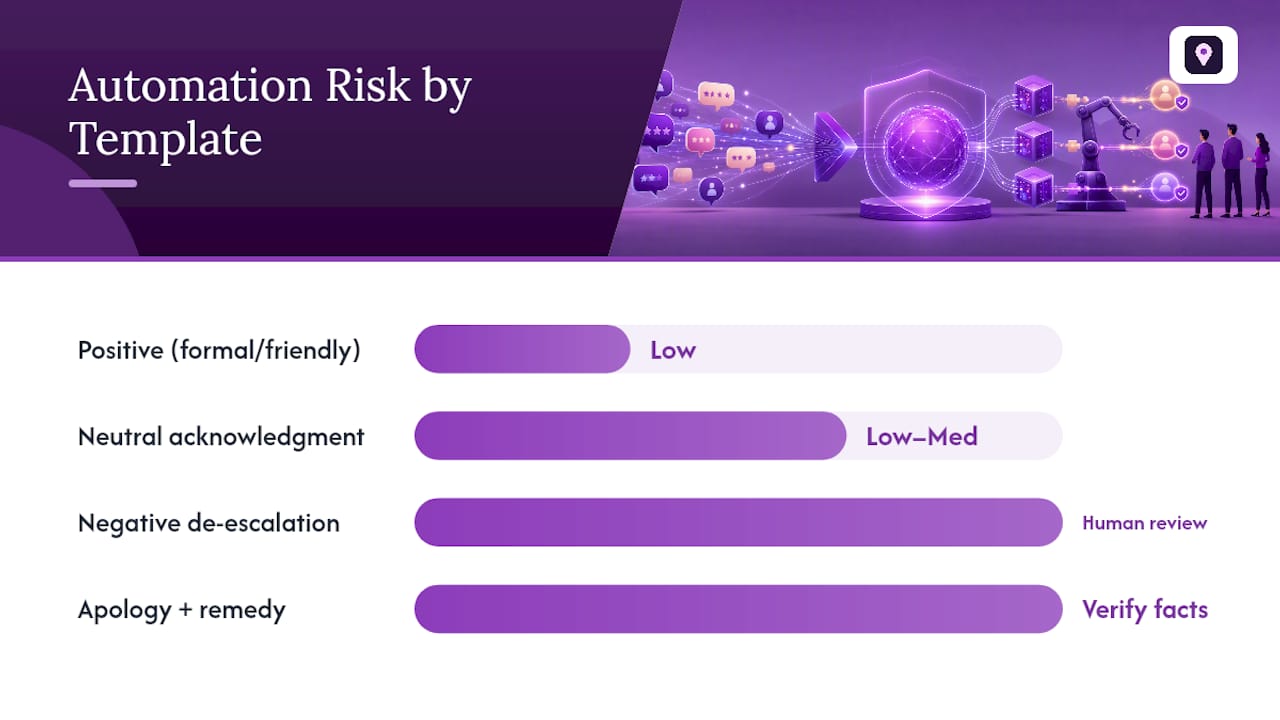
| Template Type | Best Used For | Risk Level |
|---|---|---|
| Positive (formal/friendly) | 4 to 5-star reviews | Low, safe to automate |
| Neutral acknowledgment | 3-star reviews | Low to medium |
| Negative de-escalation | 1 to 2-star reviews | Medium, human review recommended |
| Apology + remedy | Service complaints | Medium, verify facts first |
Best Practices for Personalization, Tone, and Timing
Personalization beats polish. A reply that uses the reviewer’s name, references a specific detail from their review, and matches your usual voice reads as genuine, even when AI wrote the first draft.
Do:
- Respond within 24 to 48 hours for negative reviews; a week is fine for routine positive ones
- Match the platform’s expected tone (Google skews professional; Yelp tolerates more personality)
- Keep a short library of pre-approved company messages and feed it to your AI tool so drafts stay on-brand
Don’t:
- Post identical replies across multiple reviews; Google and customers both notice
- Let AI auto-post anything mentioning a lawsuit, injury, or discrimination claim without human sign-off
- Exceed Google’s practical reply length; short, specific replies outperform long ones
Pro Tip: Build a running document of 15 to 20 approved phrases pulled from your best human-written replies. Purpose-built responders use exactly this kind of approved-message library paired with a QA layer to keep AI output inside your brand’s rules.
Which Features Matter in Free vs. Paid AI Review Tools?
Free tools are genuinely useful for the routine 80% of reviews. The gap shows up when you need scale, audit trails, or multi-location control.
Feature checklist to compare:
- Brand-voice training or approved-message libraries
- Risk detection that flags legal or sensitive language before posting
- Bulk or batch reply support for multi-location businesses
- Direct-post APIs for Google Business Profile
- Audit logs showing who approved what and when
- Language detection and automatic translation
| Tool Type | Strength | Limitation |
|---|---|---|
| Free browser generators | Fast, often privacy-preserving, no cost | Limited audit trails, no bulk posting |
| Paid subscription platforms | Brand-voice training, risk routing, integrations | Monthly or per-location cost |
Small businesses with one location can often get by with a free generator for low-risk replies. Agencies managing dozens of locations need bulk support and audit logs, which is where paid, per-location subscriptions justify their cost. Pricing usually falls into three shapes: per-reply credits, flat per-location monthly fees, or seat-based agency pricing. Estimate ROI by comparing your current reply rate against the documented rating lift consistent replying tends to produce.
How Local SEO Bot Fits an AI Review Response Workflow
Local SEO Bot automates review replies alongside Google Business Profile optimization and manual, hand-built premium citations, the kind of work that usually eats hours of a marketing manager’s week.
- Automated review replies trained on your approved brand messages
- GBP optimization and posting handled alongside reply management
- Manual premium citation building across high-authority directories, not automated blasting
Clients report improved Google Maps rankings and more customer calls after implementation, backed by a 30-day money-back guarantee if rankings don’t move. Businesses evaluating their current standing can start with the Local Business Review Score Estimator before deciding what to automate first.
Legal and Ethical Considerations Beyond Platform Rules
Platform policy is the floor, not the ceiling. Even when Google or Yelp allows an AI-drafted reply, you still carry legal and ethical exposure your platform’s terms of service don’t cover.
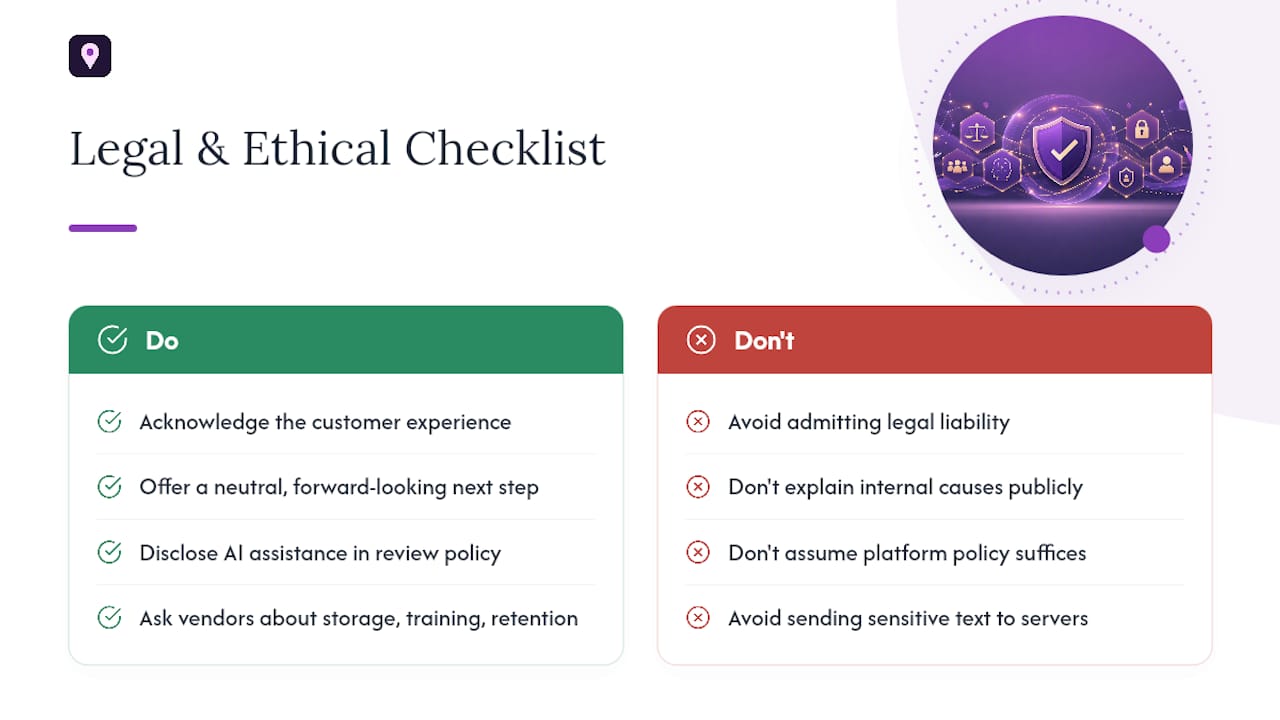
The biggest risk is language that reads as an admission of liability. A reply that says “we’re sorry our faulty wiring caused that” can resurface in a dispute or lawsuit. Keep remedies neutral and forward-looking: acknowledge the experience, offer a next step, and avoid explaining what internally went wrong.
Disclosure is the newer question, and there’s no single settled standard across jurisdictions yet. Some businesses now add a line to their review-response policy noting that replies may be drafted with AI assistance and reviewed by staff before posting. It costs nothing, builds trust, and matches the direction consumer-protection guidance has been heading on AI-generated content generally. If your business operates under professional licensing (medical, legal, financial services), check whether your regulator has specific rules on AI-assisted public communications, since general platform policy won’t cover licensing-board requirements.
Data handling matters too. Review text sometimes contains personal details, a customer’s health condition, a child’s name, an address. Tools that generate replies locally in the browser without sending that text to a remote server reduce exposure for sensitive cases. For higher-volume operations, ask any vendor directly how review text is stored, whether it’s used for model training, and how long it’s retained.
Managing Multi-Language and Multicultural Reviews With AI
A business with locations across several regions, or a single popular spot that draws international visitors, ends up fielding reviews in half a dozen languages. Manually translating and replying to each one doesn’t scale.
Modern review-response tools handle this two ways: detecting the review’s language automatically and generating a reply in that same language, or translating the review into your team’s working language so a human can approve the sentiment before the AI drafts a native-language reply. Some browser-based tools support multi-language generation directly, which helps front-line staff respond without a separate translation step.
The risk with multi-language replies isn’t grammar. It’s cultural tone. A direct, efficient apology that reads as sincere in American English can come across as curt or dismissive translated literally into another language. If your business regularly serves a specific non-English-speaking customer base, it’s worth building a small set of approved phrases in that language, reviewed by a native speaker once, rather than trusting machine translation on every single reply. Feed those approved phrases into your AI tool the same way you would English templates, so the output stays consistent instead of sounding like a different brand voice depending on which language a reviewer used.
When I Reach for AI vs. a Human Reply
I let AI handle anything routine: positive reviews, standard neutral acknowledgments, and volume above what a small team can personally write each day. The moment a review mentions injury, legal threats, or a factual dispute, it goes to a person. AI drafts well, but it doesn’t know your business’s history with that specific customer, and no brand-voice training fixes that gap entirely.
Try Local SEO Bot for Automated Review Replies and Local SEO
If you’re comparing free generators against paid platforms, the real cost isn’t the subscription. It’s the hours spent stitching together a reply tool, a citation strategy, and a ranking tracker from separate vendors. Local SEO Bot handles automated review replies, Google Business Profile optimization, and manually built premium citations in one dashboard, so you’re not managing three logins to move one ranking metric.

The trial gives you a direct look at how AI-drafted replies perform against your current reply rate, paired with citation building that’s built by hand on high-authority directories rather than blasted out automatically. Every subscription comes with a 30-day money-back guarantee if your Google Maps ranking doesn’t improve. Start by checking your current standing with the Local SEO Checker, then set up your first batch of AI-assisted review replies from there.
Sources
- AI Google Review Responder | RightResponse AI
- Reploi — World’s #1 AI Google Review Reply Generator
- AI Review Reply Response Generator - Chrome Web Store