Local SEO helps small businesses get found in local search results. If you want your business to appear when someone searches for "best pizza near me" or "plumber in Chicago", this guide covers the key steps to improve your visibility on Google Search and Maps. Here's what you need to know:
- Google Business Profile: Claim, verify, and optimize your profile with accurate business info, photos, videos, and regular updates.
- Citations: Ensure your business name, address, and phone number (NAP) are consistent across directories like Yelp, Apple Maps, and Yellow Pages.
- Customer Reviews: Encourage reviews and respond to all feedback to build trust and improve rankings.
- Local Keywords: Use location-specific keywords in your website content, titles, and meta descriptions.
- Voice Search: Optimize for conversational queries and ensure your info is accessible for voice assistants.
- Automation Tools: Tools like Local SEO Bot can simplify tasks like citation management, review responses, and ranking tracking.
Local SEO is essential for connecting with nearby customers and driving traffic to your business. Focus on these strategies to stand out in local search results and increase leads.
Local SEO For Beginners (2025 Complete Guide)
How to Optimize Your Google Business Profile
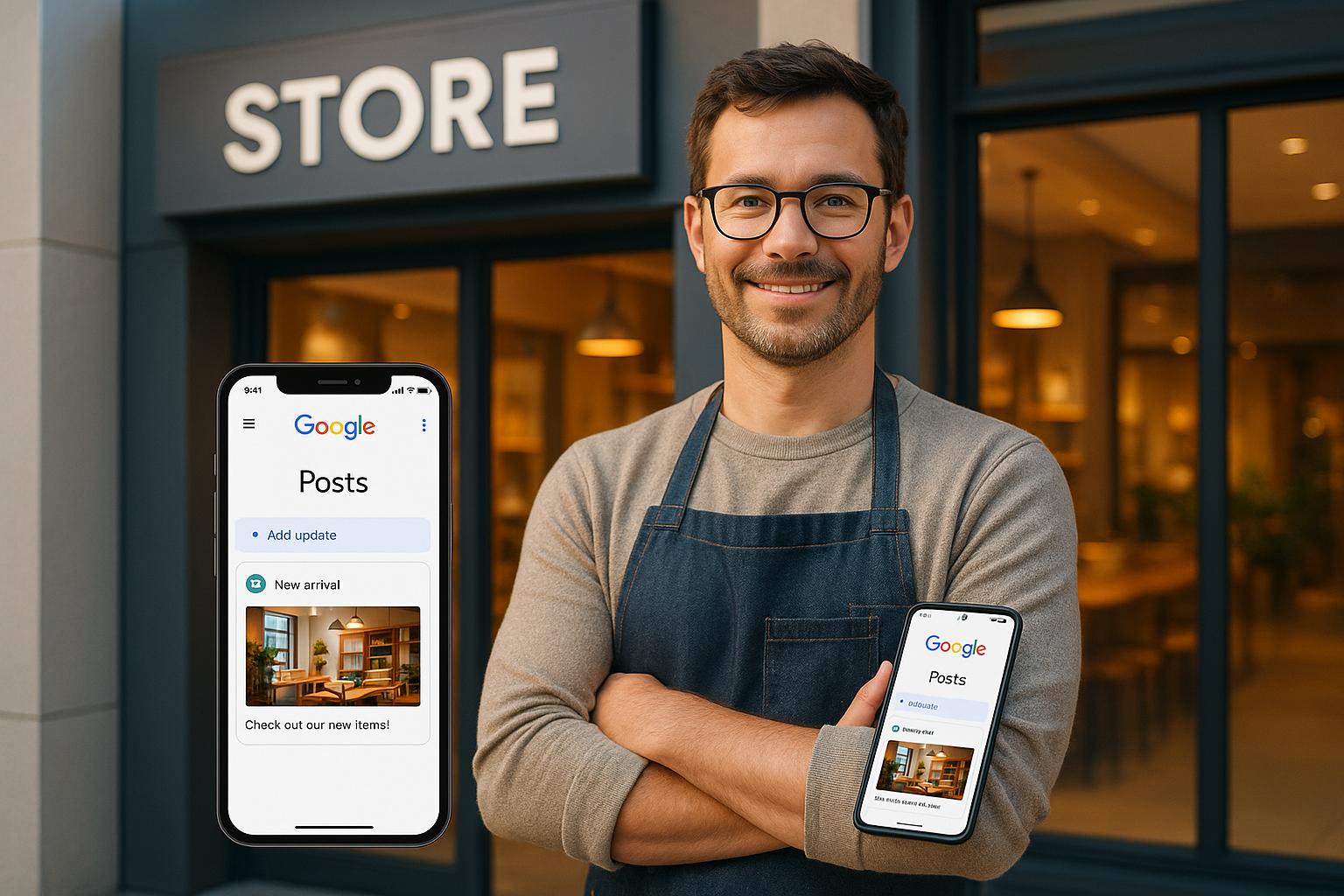
Your Google Business Profile is a powerhouse for local SEO. It shows up in the Local 3-Pack, Google Maps, and even Google's AI-generated search summaries. Here's why it matters: businesses with complete profiles are 2.7 times more likely to be seen as trustworthy and get seven times more clicks than those with incomplete profiles. Ready to make yours stand out? Here's how.
Claim and Verify Your Profile
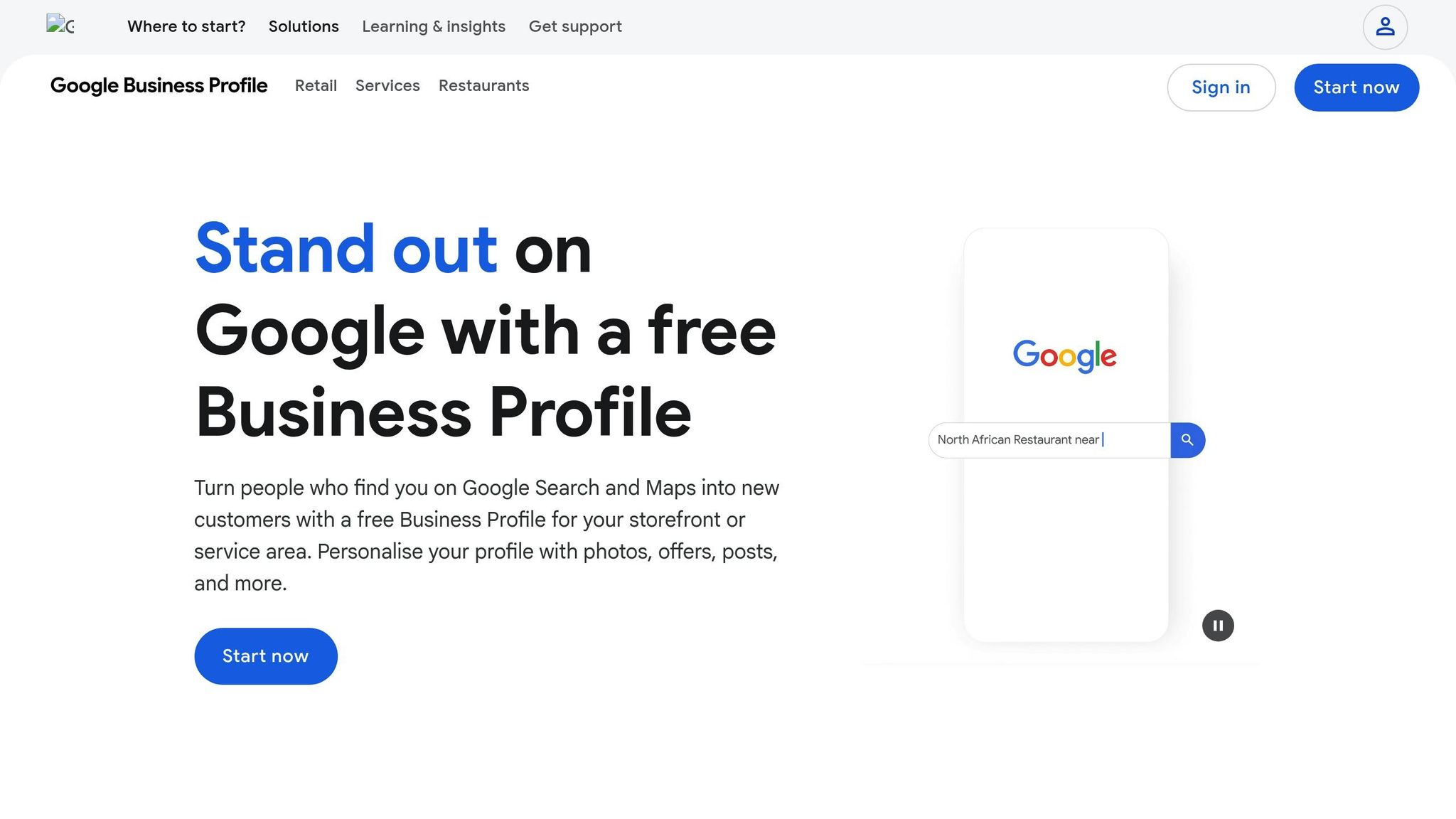
First things first - you need to claim and verify your profile. Head over to google.com/business and search for your business name. If it’s already there, claim it. If not, you’ll need to create a new one.
Google now requires video verification. This involves recording a continuous video that includes your location (like a street sign or building exterior), your business equipment (such as tools or office setup), and proof of management (like unlocking your door or showing your business license). Once submitted, verification usually takes 5 to 7 days. Without this step, your profile won’t perform well in local searches, and you’ll miss out on key management tools.
Fill Out and Update Business Information
Accuracy is everything here. Fill in every field with exact details: your registered business name, full address, local phone number, website URL, and business hours. Consistency is key - your NAP (Name, Address, Phone) should match across all platforms. Even small differences like "St." versus "Street" can hurt your rankings.
Make the most of your 750-character business description by packing the first 250 characters with essential details. Also, choose a specific primary category - "Italian Restaurant" is far better than just "Restaurant" because it directly affects the searches your business will appear in. Don’t forget to update your hours for holidays or temporary closures to keep customers informed.
Add Quality Photos and Videos
Once your basic details are squared away, it’s time to make your profile visually appealing. Businesses with photos see 42% more requests for directions and 35% more clicks to their websites. Aim to upload at least 10 high-quality photos: three of your building’s exterior (at different times of day), three of the interior, and others showcasing your key products or services. Including team photos can also help create a more personal connection with potential customers.
Keep your profile fresh by updating photos monthly. Rename image files with descriptive names (like "emergency-plumber-boston.jpg") before uploading to improve visibility. Short videos - under 30 seconds - can also work wonders. Think quick office tours or team introductions to boost engagement.
Here’s a real-world example: In October 2025, a Phoenix-based HVAC company filled out all their profile details and boosted their review count from 12 to over 40. Within just 30 days, their monthly call volume skyrocketed from around 20 calls to 127 - a 635% increase in leads, all without spending extra on advertising.
That’s the power of a well-optimized Google Business Profile.
How to Build Accurate Local Citations

Top Local Citation Sources by Domain Authority and Benefits
What Are Local Citations?
Local citations refer to any online mention of your business's name, address, and phone number (commonly called NAP), with or without a website link. These citations generally fall into two categories: structured citations, like formal listings on directories such as Yelp or Yellow Pages, and unstructured citations, which appear in places like blog posts, news articles, or social media mentions.
Citations play a key role in helping search engines confirm that your business is legitimate and located where you claim. Research even suggests that citation signals are among the top factors influencing local search rankings, with businesses performing up to 18 times better in search results when citation signals are strong. Google evaluates local rankings using three key factors: Relevance, Distance, and Prominence. Citations directly enhance your business's prominence, making them a crucial part of your local SEO strategy.
Keep Information Consistent Across All Platforms
The importance of citations goes hand in hand with consistency. Your NAP information must be uniform across all platforms - whether it’s directories, your website, or social media profiles. Even small inconsistencies, like using "St." on one platform and "Street" on another, can confuse search engines and hurt your rankings.
To ensure accuracy, consider creating a master spreadsheet that outlines the exact spelling and formatting of your NAPW (Name, Address, Phone, and Website). This can serve as your reference when updating or auditing listings. Duplicates can also harm your rankings, as they dilute your authority. For context, enterprise-level businesses often have between 3,500 and 10,000 duplicate local listings. Regular audits can help eliminate these duplicates and maintain trust with search engines.
Where to List Your Business in the US
Start with the essentials - the "Big Four" foundational citation platforms: Google Business Profile, Apple Maps, Bing Places, and Yelp. These platforms form the backbone of your local SEO efforts. Next, submit your information to major data aggregators like Data Axle and Neustar Localeze, which distribute your business details to hundreds of smaller directories.
Beyond these, focus on industry-specific directories. For example, platforms like Healthgrades are ideal for doctors, Avvo works well for lawyers, and Angi caters to home service providers. Additionally, don’t overlook hyper-local platforms such as your local Chamber of Commerce, Nextdoor, or Patch. These neighborhood-focused sites can significantly improve your local relevance. Research indicates that 31% of top organic local results come from directories, and complete citations can enhance visibility by as much as 25%. Most businesses find the best return on investment by focusing on 30–40 high-quality citations, so aim for quality over sheer quantity.
| Citation Source | Domain Authority | Main Benefit |
|---|---|---|
| Google Business Profile | 100 | Foundational / Maps |
| Apple Maps | 99 | Mobile / Voice Search |
| Yelp | 93 | Reviews / Data |
| Bing Places | 93 | Desktop / Voice Search |
| Better Business Bureau | 90 | Trust / Professional |
| Yellow Pages | 86 | General Directory |
| Data Axle | 53 | Data Aggregator |
| Neustar Localeze | 48 | Data Aggregator |
How to Use Customer Reviews for Local SEO
How to Get More Customer Reviews
Getting more customer reviews can be as simple as asking - 70% of people are willing to leave a review if prompted. Timing matters, though. The best moment to ask is when the customer is happiest, like right after a successful project or purchase. For instance, a plumber might request a review after completing a repair, while a dentist could send a follow-up text post-appointment.
Take advantage of tools like the "Get more reviews" button on Google to create a shareable link. Include this link in thank-you emails, digital invoices, or even on in-store QR codes for easy access. However, stick to Google's rules: never offer money, discounts, or gifts in exchange for reviews. Violating these guidelines can lead to the removal of all your reviews. Also, avoid "review gating" (only asking satisfied customers for reviews) - instead, invite every customer to share their experience. If you deliver great service consistently, positive reviews will naturally outweigh any negative ones.
Once you’ve collected reviews, don’t stop there - engaging with your customers through thoughtful responses can amplify their impact.
How to Respond to All Reviews
Responding to reviews isn’t just polite - it’s a key factor in local SEO. It shows potential customers that your business is attentive and engaged. In fact, 90% of consumers pay attention to how businesses respond to reviews, and 92% see owner responses as a sign of excellent customer service. Aim to reply to both positive and negative reviews within 24 to 48 hours.
For positive reviews, thank the customer personally and reference specific details they mentioned. For negative reviews, stay calm and professional. Offer a sincere apology, take responsibility, and provide a private channel - like an email or phone number - to resolve the issue. This approach can turn things around, with 62% of unhappy customers willing to give the business another chance, and 45% of potential customers being more likely to visit.
"Ignoring reviews results in a failure to serve and engage with your existing consumer base, win back customers who have left negative reviews, and benefit from the business intelligence gained when review sentiment is analyzed."
– Miriam Ellis, Local Search Scientist, Moz
When responding, keep it personal and conversational. Address specific details from each review to show you’re paying attention. If you encounter spam or fake reviews, don’t engage publicly. Instead, use Google’s "Report Review" tool to flag them.
Beyond customer engagement, reviews also directly impact your search rankings.
How Reviews Affect Local Rankings
Customer reviews play a big role in determining your position in Google’s Local Pack, thanks to the "prominence" signal. Between 2017 and 2020, Google star ratings climbed in importance, becoming the #8 local ranking factor. Even a small improvement in ratings can make a difference - a jump from 3 stars to 5 stars can increase your click-through rate by up to 25%.
When it comes to reviews, three factors matter most: quantity, quality, and recency. While having a lot of reviews builds credibility, recency is crucial. About 67% of consumers prioritize fresh reviews over the total number, and 69% disregard reviews older than three months. This highlights the importance of maintaining a steady flow of new reviews, rather than collecting them all at once, which might look suspicious.
The stakes are high: only 3% of people will consider a business with a 2-star rating or lower, while 51% expect a business to have at least 4 stars. Additionally, 94% say a bad review can stop them from engaging with a business. Google also uses specific phrases from reviews to create "justifications" in search results. For example, if your reviews mention terms like "emergency plumber" or "same-day service", Google can better understand your offerings and show your business in relevant searches. This not only boosts trust but also increases your visibility in local search results.
sbb-itb-0e6533f
How to Use Location-Specific Keywords
Using location-specific keywords is a key step in strengthening your local SEO strategy. These keywords help align your content with what users are searching for in your area, making it easier for potential customers to find you.
How to Find Local Keywords
Finding the right local keywords starts with understanding how people search for your services. Typically, local keywords combine three elements: a core service, a modifier, and a location (e.g., "emergency plumber Downtown Chicago"). Instead of targeting broad terms, focus on specific phrases that match user intent.
A great way to begin is by searching Google for your service along with your city. Pay attention to the Map Pack, "People Also Ask" questions, and "Related Searches" at the bottom of the page. These features reveal what your audience is actively looking for. To confirm local intent, check if the search results include a Map Pack or local business listings.
Free tools like Google Keyword Planner can also help you identify competitor keywords and uncover gaps you can fill. Keep in mind, nearly half of all Google searches are for local information, and 80% of local searches lead to conversions.
Where to Place Keywords on Your Website
Once you've identified your local keywords, strategically place them throughout your website. Start with your main H1 headline and ensure these keywords appear in content that’s visible above the fold. Include location-specific terms in title tags, meta descriptions, URLs, headers, body text, and image alt text. For instance, instead of a generic URL like "/services/", opt for something more descriptive like "/plumber-chicago/."
If your business serves multiple areas, create dedicated landing pages for each city or neighborhood. These pages should feature localized content, an embedded Google Map, and accurate NAP (Name, Address, Phone) details. Avoid simply swapping out city names across identical pages, as this can hurt your rankings. Additionally, use locally relevant anchor text in your internal links to further highlight the geographic focus of each page.
By combining these on-page strategies with citation and review tactics, you can build a strong local SEO foundation.
How to Optimize for Voice Search
Voice search is reshaping how people discover local businesses. Around 76% of consumers use voice search weekly to find local services, and voice queries now make up nearly half of all online searches. Unlike traditional text searches, voice queries are more conversational. For example, instead of typing "dentist Boston", a user might say, "Where’s the nearest dentist open late?".
To capture this type of traffic, consider creating FAQ pages that address common, conversational questions starting with words like "Who", "Where", "What", and "How". Use straightforward language such as, "Our office is located at..." to ensure voice assistants can easily interpret your information. Also, make sure your Google Business Profile is fully completed - voice assistants often pull data directly from these profiles, and businesses with complete profiles see a 70% higher chance of customer visits.
"Voice search relies on [NAP consistency]. When someone says, 'Call the nearest [service]' or 'Find a [business] near me,' assistants like Siri, Alexa, and Google Assistant retrieve phone numbers and addresses directly from Google Business Profile."
– Zoe Ashbridge, SEO Professional
Finally, implement LocalBusiness schema markup to standardize your business information. This markup increases your chances of appearing in featured snippets, which voice devices frequently read aloud. With 18% of voice search users relying on smart speakers for local searches, optimizing for voice search is a smart move.
How Local SEO Bot Simplifies Local SEO
Handling local SEO manually can be a daunting task. That’s where Local SEO Bot steps in, automating those time-consuming processes so you can focus on your business while boosting your online presence. Here's a closer look at how its features make local SEO easier.
One-Click Optimization Features
Local SEO Bot employs AI agents to manage your Google Business Profile effortlessly. From generating and scheduling posts to keeping your information consistent across multiple locations, the platform has you covered. Simply input your NAP (Name, Address, Phone Number) once, and it distributes this information to trusted directories.
It also keeps you in the loop with instant alerts for new reviews. Using AI, the platform drafts thoughtful, brand-aligned responses - something Google recognizes as a positive ranking factor. This means you can engage with your audience in real time, maintaining a strong and responsive online presence.
Ranking Tracking and SEO Audits
Beyond automation, Local SEO Bot helps you understand and improve your visibility with advanced tracking and auditing tools. Its map rank tracker uses geo-coordinates to create a heatmap of your Google Business Profile’s performance, showing how your rankings shift across neighborhoods or even individual streets.
The platform also scans your website for technical issues and prioritizes them by urgency, offering clear, step-by-step fixes. On top of that, it provides on-page health checks, giving actionable tips to optimize title tags, meta descriptions, and internal links. Local listings are audited as well, identifying any inconsistencies in your NAP data across directories.
Pricing Plans for Small Businesses
Local SEO Bot keeps things simple with pricing tailored for small businesses. The Basic plan starts at $49 per month and includes essential features like one-click SEO optimization, Google Business Profile management, review management, citation building, ranking tracking, local SEO audits, and email support. It’s a practical option for businesses working within a budget.
Conclusion: Next Steps for Local SEO Success
Local SEO plays a pivotal role in online visibility, with nearly half of all searches and 76% of "near me" queries leading to visits. If your business isn’t appearing during these key moments, you’re missing out on potential customers while competitors take the lead.
To get started, focus on the essentials: claim your Google Business Profile, ensure your NAP (Name, Address, Phone Number) is consistent across all platforms, and actively engage with your reviews. Incorporate local keywords, secure trusted citations, and craft content tailored to specific locations. These strategies work together to boost trust and visibility, paving the way for higher rankings. However, keeping up with these tasks manually can quickly become overwhelming.
Managing local SEO effectively requires more than just the basics. Tasks like updating multiple directories, responding to reviews, tracking rankings, and maintaining your Google Business Profile demand significant time and effort. This is where automation tools come into play. Tools like Local SEO Bot can take over these repetitive tasks, freeing you to focus on growing your business.
As Adam Heitzman from HigherVisibility puts it:
"Local SEO isn't just a nice-to-have; it's one of the most effective ways for small businesses to reach high-intent customers in their area."
Start by auditing your online presence to identify and correct inconsistencies. Then, combine a well-optimized Google Business Profile, consistent citations, and active review management with the right automation tools. With 80% of local searches converting into customers, every improvement you make can directly impact your bottom line.
FAQs
What are the best ways to optimize my Google Business Profile for local SEO?
Optimizing your Google Business Profile (GBP) is a smart way to boost your local search presence. Start by claiming and verifying your profile at business.google.com. Once verified, ensure your profile is fully filled out with accurate details like your business name, address, phone number (e.g., (555) 123-4567), operating hours, service area, and website. It’s crucial to keep this information consistent across your website and any other online listings.
Make your profile stand out by uploading high-quality photos and videos that highlight your business. Encourage customers to leave reviews, and take the time to respond to them - it shows you value their feedback. Select the most relevant primary and secondary categories for your business, and keep your profile active by sharing regular updates, promotions, or events. Use location-specific keywords in your posts to help with visibility.
Don’t forget to complete attributes like "Wheelchair accessible" or "Women-owned" and address common customer questions in the Q&A section. A well-maintained and engaging profile not only attracts more attention but also helps you rank higher in local search results.
How can I effectively collect and manage customer reviews to boost local SEO?
Collecting customer reviews works best when the process is easy and happens at the right moment. Reach out to satisfied customers soon after their purchase or service - this can be done through a follow-up email, a quick text, or even a QR code on their receipt that links directly to your Google Business Profile. Make your request feel personal by using their name and mentioning the specific service or product they experienced. If your business operates in multiple locations, ensure each one has its own Google Business Profile so reviews are correctly associated with the right branch.
Equally important is how you manage those reviews. Use a centralized tool or admin account to keep an eye on feedback and respond promptly - ideally within 24 to 48 hours. Show appreciation to positive reviewers and handle negative feedback with professionalism and care. Setting up alerts for new reviews can help you stay on top of things. Also, ensure your business details, like address and phone number, are consistent across all platforms. This not only builds trust but also helps boost your local SEO.
How do location-specific keywords improve your local SEO rankings?
Using location-specific keywords is a smart way to show search engines how your business connects to a particular area. By weaving in terms like your city, neighborhood, or even phrases like "near me", you're essentially telling Google, "Hey, this business is relevant to local searches."
This approach can improve your visibility in local search results, including the coveted map pack, making it simpler for nearby customers to discover you. Pairing these keywords with other local SEO efforts - like fine-tuning your Google Business Profile - can amplify your rankings and draw in more local visitors.