Google Maps Spam: How to Spot It, Report It, and Protect Your Listing
Published November 2, 2026
Google Maps Spam: How to Spot It, Report It, and Protect Your Listing

Google Maps spam is any fake or misleading content that distorts local results: fake listings, paid or biased reviews, keyword-stuffed business names, and unauthorized edits to a real profile. If you run a local business, you can fight it. Spot it, document it, report it through the right Google channel, and lock down who can edit your own profile. This guide walks through each step.
TL;DR
- Spam on Maps includes fake listings, reviews that don’t reflect real experiences, incentivized reviews, and misleading names or addresses.
- Fake profiles can crowd real businesses out of results, so a quick monthly check of your service area is worth the time.
- Report reviews from your Business Profile, and report fake or misleading listings with “Suggest an edit” or the Business Redressal Complaint form.
- Never pay anyone who threatens bad reviews or offers to “verify” your profile for a fee.
- Limit who has owner and manager access, and remove ex-employees right away.
Table of Contents
- What counts as spam on Google Maps
- How spam hurts a legitimate business
- How to spot spam in your market
- How to report Google Maps spam
- Review extortion: don’t pay
- Protect your own listing
- Beat spam by being the strongest real result
- Perspective: why we automate the unglamorous work
- Put your profile on autopilot
- FAQ
- Sources
What counts as spam on Google Maps
Google publishes its rules in its Maps user-generated content policy. Under it, spam and fake engagement cover reviews that don’t reflect a real experience, incentivized or biased reviews, and misleading or fraudulent listings. Google also names paid reviews, content posted through emulators to manipulate sensors, and review patterns that suggest rating manipulation.
In practice, local owners run into five kinds of spam:
- Fake business listings. A profile for a business that doesn’t exist at that address, often built to capture calls for a high-value service.
- Keyword-stuffed names. A real business that adds “Best Emergency Plumber Near Me” to its name to rank for those words.
- Questionable addresses. Empty lots, virtual offices, or mailbox stores presented as a service location.
- Fake or biased reviews. Bursts of five-star reviews on a competitor, or waves of one-star reviews on you.
- Unauthorized edits. Someone changes your category, phone number, website, or map pin.
The last one deserves attention because it is quiet. Google says its systems look for patterns such as a business suddenly changing categories, for example from cafe to plumber. Google’s own write-up on its AI defenses describes this as one signal among many. Those systems don’t catch everything, so your own monitoring still matters.
How big the problem is
Google reports that in 2024 it blocked or removed more than 240 million policy-violating reviews and over 70 million fraudulent edits to business listings, according to the same Google post. That scale explains why some spam gets through. Google has also said that fighting fraudulent content is a continuous battle, and it rarely details its detection methods so bad actors can’t work around them (Maps 101, Google).
How spam hurts a legitimate business
The direct cost is lost customers. Google notes that fake profiles can steal customers from legitimate businesses by crowding them out of search results (Google). For a service business, that can mean a spam listing sits above you in the map pack while the phone you pay for goes to a lead-resale operation.
The damage shows up in a few places:
- Fewer calls and direction requests when spam listings take the top three slots for your main searches.
- Trust erosion when a customer calls the wrong number, gets a different company, and blames you.
- Rating swings when fake negative reviews drag your average down, or when a flood of suspicious positive reviews on a rival pushes them ahead.
- Wasted ad and SEO spend when your optimization work is outranked by profiles that break the rules.
If you want a broader look at how misleading profiles shape what shoppers see, this overview of how spam profiles affect local search results is a good companion read.
How to spot spam in your market
You can’t report what you haven’t seen. Set aside 20 minutes a month and search your own services the way a customer would.
Run a manual spot check
- Open Google Maps on your phone, in the neighborhoods you serve, not just from your office.
- Search your top three services, for example “water heater repair” or “emergency dentist.”
- Scan the top results for names that read like search phrases rather than brands.
- Open each suspicious profile and check the address in Street View. Look for empty lots, residential houses with no signage, or shared-office buildings.
- Look at the phone number, website, and review history. A profile with dozens of reviews posted in a few days and nothing before it is a red flag.
Check before you report
Not every odd name is spam. Some businesses legally operate under a “Doing Business As” (DBA) name that happens to contain keywords. Before you report a listing, look the business up in your state’s business registry, and compare the name to its website and its storefront signage. If the legal name, the website, and the sign all match, a report for keyword stuffing is likely to fail. If none of them match the Maps name, you have a stronger case.

Signs of fake reviews
Google’s policy describes review patterns that indicate rating manipulation. On your own profile or a competitor’s, watch for:
- Several reviews posted within hours with similar wording.
- Reviewers with no other activity, or with reviews scattered across unrelated cities.
- Reviews that mention services you don’t offer, or a location you don’t have.
- A sudden jump or drop in your rating that doesn’t match your real customer flow.
Keep screenshots with dates. They help if Google asks for evidence, and they help you spot patterns later.
How to report Google Maps spam
Google gives you different tools for different problems. Using the right one saves time.
| What you found | Where to report |
|---|---|
| A fake or abusive review on your profile | Flag it from your Business Profile |
| A misleading or fraudulent listing | “Suggest an edit” on Maps, or the Business Redressal Complaint form |
| Many fake listings at once | Business Redressal Complaint form with a spreadsheet of URLs |
| A review extortion threat | Google’s extortion reporting form, with screenshots |
| Unauthorized changes to your own profile | Review access to your profile and edit it back; see the protection steps below |
Report a review on your profile
Google’s instructions are to flag reviews directly through your Business Profile: select the specific review and choose the violation reason that fits. Pick the reason that actually applies, such as fake engagement or off-topic content, because a mismatched reason is easier to reject. If you want a walkthrough of what happens to flagged reviews and what can and can’t be removed, see our guides on how to delete a review on Google and how do I delete a review on Google.

Report a fake or misleading listing
For listings, Google’s help page on reporting a business on Google Maps points to “Suggest an edit” for misleading or fraudulent listings and to the Business Redressal Complaint form. The form lets you report many businesses at once: you can upload 10 or more profiles, or a spreadsheet containing all the URLs.
A good report includes:
- The exact Maps URL of each listing.
- What is false, stated plainly: “No business at this address; the lot is vacant.”
- Evidence: Street View captures, state registry results, the real business’s website.
Be patient, and persistent
Some owners report a fake listing several times and see nothing change. That frustration is common in the forums where owners trade stories. Reporting each separate listing with clear evidence is more productive than repeating a vague complaint. Google generally can’t share the details of its investigations for privacy and security reasons, so expect a result rather than a play-by-play.
Review extortion: don’t pay
A newer pattern: someone threatens a flood of negative reviews unless you pay. Google treats this as a severe policy violation. Its guidance on reporting extortion attempts using reviews says to report it with evidence, such as screenshots of the demands, and not to engage with or pay the scammers. Paying doesn’t guarantee removal and encourages more of the same.
What to do, in order:
- Screenshot every message, with sender details and dates.
- Don’t reply and don’t pay.
- Submit the report with the evidence.
- Flag any resulting reviews through your Business Profile.
Google says it investigates extortion reports submitted with evidence and notifies you of the results, though it can’t share specifics of its investigation.
Protect your own listing
Most spam you can’t prevent, but unauthorized edits to your own profile are largely preventable. Google’s page on how to help protect your Google Business Profile recommends a short list.
- Claim all your locations. An unclaimed location is easier to hijack or duplicate.
- Limit owners and managers. Give access only to staff who need it.
- Remove ex-employees and former vendors the day they leave.
- Keep owner access if a third party manages your profile. If an agency or freelancer runs it, make sure you remain an owner.
- Be wary of anyone who demands payment for verification or maintenance of your profile.
The pin scam, where someone moves your map pin or changes your listed location, is a good example of why this matters. A drop in calls with no obvious cause is a reason to open your profile and check every field.
A monthly profile checklist
- Business name matches your real-world signage and legal name.
- Primary and secondary categories are unchanged.
- Phone number, website, and hours are correct.
- Map pin sits on your actual entrance.
- Owner and manager list contains only current people.
- New reviews are real customers; suspicious ones are flagged.
A structured Google Business Profile audit makes this faster, because it surfaces fields that have drifted from what you set. Once your profile is clean, build the signals that help real businesses win: accurate details, steady review flow, consistent citations, and regular posts. Our Google Maps SEO guide covers how those pieces fit together.
Beat spam by being the strongest real result
Reporting clears some competitors, but it won’t be your whole strategy. Spam listings come and go, and new ones appear. The durable response is to make your legitimate profile hard to outrank:
- Complete every field and choose accurate categories.
- Ask every happy customer for a review, and reply to all reviews quickly.
- Post regularly so the profile shows activity.
- Keep your business details consistent across the directories Google cross-checks.
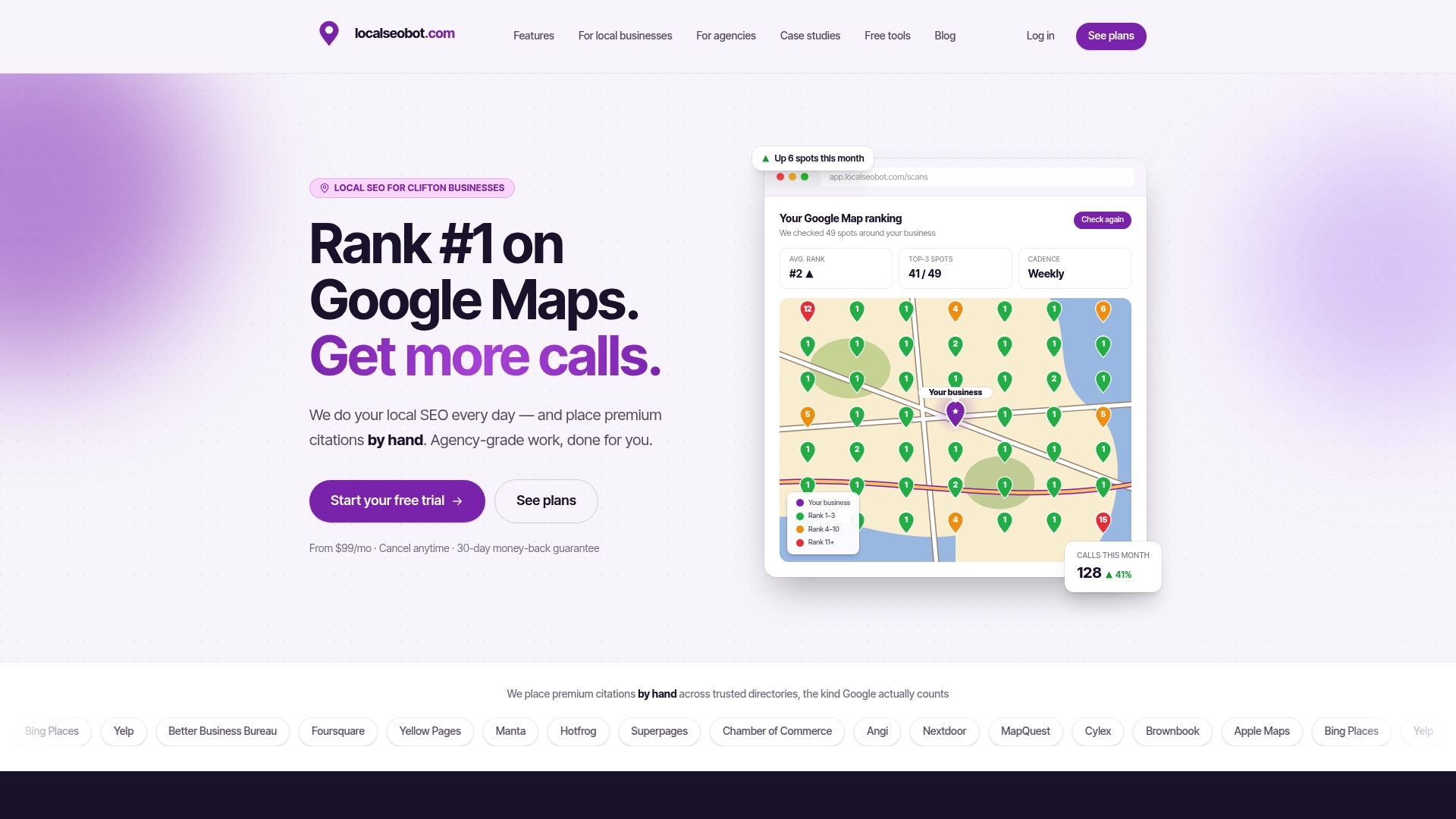
- Track rankings across your service area, not at a single point. Your visibility can differ block by block, which is how spam in one neighborhood goes unnoticed from your office. A map grid rank tracker shows where you appear and where spam listings outrank you.
Perspective: why we automate the unglamorous work
We see the same pattern across the local businesses we work with. The owner is busy running the business, the profile goes untouched for months, and that gap is where spam, stale details, and unanswered reviews pile up.
Our view is that local visibility is less about one clever trick and more about steady, boring consistency. That is why Local SEO Bot is built to do the work, not just report on it: it optimizes the Google Business Profile, publishes regular posts, tracks rankings across your service area with map grid scans, and responds to reviews. A grid scan makes spam visible because you can see which neighborhoods you lose and who takes those spots.
Behind the AI, our team manually builds premium citations on high-authority directories, so your business gets signals Google trusts. We think that mix of automation and human oversight is the right balance. Automation handles the daily upkeep that owners skip, and people handle the work that needs judgment.
Spam will never fully disappear from Maps. What you can control is whether your real profile is complete, active, and well-reviewed, so that when Google weighs two listings, yours is the obvious one.
Devyn H
Put your profile on autopilot
If you’d rather not check Maps by hand every month, Local SEO Bot handles the routine for you: Google Business Profile optimization, regular posting, review replies, map grid rank tracking, and manually built premium citations. Plans are billed per location: Foundation is $99 per month per location, and Growth is $199 per month per location. We back it with a 30-day money-back guarantee if you don’t see a ranking increase. See plans and pricing to pick the one that fits.
FAQ
How do I report spam to Google?
It depends on the type. Flag reviews from your Business Profile by selecting the review and choosing the violation reason. For fake or misleading listings, use “Suggest an edit” on Maps or the Business Redressal Complaint form, which accepts many listings at once.
Why hasn’t Google removed the fake listing I reported?
Google handles an enormous volume of reports and doesn’t share the details of its investigations. Make sure each report points to one listing URL and states plainly what is false, with evidence such as Street View images or state registry results. Check first that the listing isn’t a legal DBA name, since those are often not removable.
Should I pay someone who threatens bad reviews or offers to verify my profile?
No. Google advises against engaging with or paying review extortionists, since payment doesn’t guarantee removal and invites more demands. It also tells owners to be wary of anyone demanding money for profile verification or maintenance. Report the demand with screenshots instead.
How can I stop someone from editing my business listing?
Claim all your locations, limit owner and manager access to people who need it, and remove ex-employees promptly. If an agency manages your profile, keep your own owner access. Review your profile fields monthly so you notice changes quickly.
Sources
- Prohibited & restricted content, Maps user-generated content policy (Google)
- Google Maps uses AI to fight fake Business Profiles (Google)
- Maps 101: how we tackle fake and fraudulent contributed content (Google)
- Report inappropriate reviews on your Business Profile (Google)
- Report a business on Google Maps (Google Maps Help)
- Report extortion attempts using reviews (Google Business Profile Help)
- Help protect your Google Business Profile (Google Business Profile Help)