Google Business Profile Call Tracking: What Works in 2026
Published November 15, 2026
Google Business Profile Call Tracking: What Works in 2026

You can still track calls from your Google Business Profile, but not with Google’s own tools alone. Google removed the per-call history in 2024 and now reports only a count of call-button taps. To see which calls connected, how long they lasted and who called, you need a call tracking number on the profile. To see whether more calls follow better Maps rankings, you need rank tracking next to it. Treat calls as the result and rankings as the cause, and measure both.
This guide covers what Google still reports, how to add a tracking number without hurting your listing, and how to read the numbers. It is written for small business owners and for agencies running profiles for clients.
TL;DR
- Google’s call history feature ended on July 31, 2024. The profile now shows only how many times the call button was tapped.
- For answered, missed and per-caller data, put a tracking number in the primary phone field and keep your real number as an additional number.
- Never swap your number on only some listings. Inconsistent phone data across directories is the usual cause of ranking drops blamed on call tracking.
- Record a baseline first and give changes several weeks before judging them.
- Pair call counts with map grid rank scans. Calls tell you what happened; rankings tell you why.
Table of Contents
- What Google still shows about calls
- How a tracking number works on a Business Profile
- How to set up a tracking number without hurting your listing
- Does a tracking number affect Maps rankings?
- Google Ads call tracking is a different thing
- Why spam and non-customer calls distort the data
- Calls are the result, rankings are the cause
- Where Local SEO Bot fits
- Perspective: measure the cause, not just the calls
- FAQ
- Sources
What Google still shows about calls
Open the Performance section of a verified profile and you will find a Calls figure. Google defines it as the number of times a customer clicked the call button on your profile. It is a daily count of taps, and it is available only for verified profiles.
That number has real limits:
- It does not say whether the call connected or how long it lasted.
- It does not identify the caller or tell you whether they became a customer.
- It counts the call button on mobile. As Search Engine Land noted, it would not include desktop users who read your number and dial it by hand.
Google also once offered more. Per-call history arrived in 2020. In May 2024 Google told businesses it would remove call history and chat on July 31, 2024, saying the features had relatively low usage. Google’s own help page confirms that past records could be downloaded through Takeout only until August 30, 2024.
A Business Calls API once exposed aggregate metrics, including missed and answered calls with hourly and weekday breakdowns. If you rely on a dashboard that still promises that detail from Google directly, check where its data comes from, because the native source for per-call data is gone.
How a tracking number works on a Business Profile
A call tracking provider gives you a phone number that forwards to your real line. You publish that number in your profile. When someone taps call on Google Maps or Search, the call goes through the tracking number, gets recorded as a call from that source, and shows up in a reporting dashboard with details such as the time, duration and whether it was answered.
Most providers add a second piece for your website: a small script that swaps the number shown on the page depending on where the visitor came from. That lets you separate profile calls from website, ads and directory calls. The profile number handles Maps and Search. The website script handles everything else.
Once data flows, you can answer questions the Calls count never could:
- How many calls did we actually answer?
- Which hours and weekdays produce missed calls?
- Which calls were real leads and which were spam or wrong numbers?
- How many leads came from Maps versus the website?
For a plumber, locksmith or dentist, the missed-call answer alone often justifies the setup. A call that rings out at 6 p.m. usually goes to the next result on the map.
How to set up a tracking number without hurting your listing
The risk with call tracking is not the tracking. It is the mess it can create in your business data. Google wants a consistent identity for your business across the web, and your phone number is part of it. Follow this order.

1. Record a baseline before you change anything
Export your current Calls, Website clicks and Direction requests from the Performance section. Note your current ranking positions too. Without a baseline you cannot tell whether the change helped, hurt or did nothing.
2. Choose a local number
Google’s guidelines for representing your business ask for a number that connects to the individual business location, and a local number rather than a central call-center line wherever possible. Pick a tracking number with a local area code for the market you serve. A toll-free number as primary on a single-city business gives up the local signal.
3. Put the tracking number first and your real number second
The low-risk pattern is to set the tracking number as primary and keep the real business line as an additional number. Your real number stays on the profile and matches your website, invoices and directory listings. Google’s contact info settings allow additional numbers, so there is room for both. Never remove the real number entirely.
4. Leave your website, schema and citations on the real number
The number in your structured data and in your directory listings should remain the real one. Tracking numbers on some citations and not others is how mismatches pile up. If a directory-sync tool manages your listings, switch off its phone-number sync for that location. Otherwise it can overwrite the tracking number and quietly break your reporting.
5. Verify and wait
Google may ask you to verify a new number with a code by call or text before it appears. After the change, allow time: updates can take longer to show on Search than on Maps, up to a few days in some cases. Do not flip numbers back and forth while you wait.
6. Tag the profile link too
Calls are only one action. Add UTM parameters to the website link in your profile so analytics separates profile visits from other traffic. Our guide to GBP UTM tracking in GA4 shows the exact tags.
Does a tracking number affect Maps rankings?
Google’s guidelines do not mention call tracking, so there is no rule that approves or bans it. What matters is consistency. The phone number is a supporting signal, not a main ranking factor. It feeds the match between your profile and the citations that describe your business across the web.
That is why most ranking problems owners blame on the tracking number are really citation problems: a number changed on three directories and not on thirty. Keep the real number everywhere else and the tracking number as a clearly labeled addition, and your identity stays intact.
The other side of the question is more interesting. Calls from your profile show Google that people find your business relevant. Anything that increases visibility therefore tends to increase calls, and call tracking finally lets you prove it.
Google Ads call tracking is a different thing
If you run Google Ads, you can show a Google forwarding number on your ads and website for ad visitors. Those calls are credited to the campaign and, in some cases, the keyword. That number is meant for ad surfaces, not for your Business Profile or directories. Google’s own documentation even allows a separate Google Ads phone number for location assets, which keeps the ad number out of your public listing.
In practice you may end up with three numbers: your real business number, a profile tracking number, and an ad number. Decide which does what before you publish any of them. Write it down, because an agency or new employee will otherwise “fix” the mismatch.
Why spam and non-customer calls distort the data
Not every ring is a lead. Sales solicitations, wrong numbers and automated messages from Google itself can reach the verified phone on your profile. A tracker that logs everything will inflate your totals. Tag or filter calls under a minimum length, and review a sample of recordings monthly so your answered-lead count means something. Your goal is a clean figure for qualified calls, since that is the number you compare with revenue.
Calls are the result, rankings are the cause
Call data on its own answers “how many?” It does not answer “why did they drop?” A week with fewer calls could mean a competitor moved up in your neighborhood, a review stalled, or your profile went stale. Only a map-level view shows which.
That is the gap grid scans fill. A Google Maps rank tracker checks where you appear from points across your service area, so you see that you rank first near your shop and fifth three miles out. Put that next to your call log and patterns appear: calls fall in the zones where your ranking fell. Learn the profile side too in our guide to analyzing Google Business Profile insights, and if you want to compare against rivals, see how to compare competitors on Google Business Profile.
For a wider view on choosing and configuring call tracking alongside other local visibility work, these local SEO and AEO guides cover the surrounding setup.
A simple monthly reading routine
- Compare qualified calls this month with the same period last month and the same month last year.
- Compare average grid position for your top three keywords over the same periods.
- Check profile activity: posts published, reviews answered, photos added.
- Look at missed calls by weekday and hour, and adjust staffing or call forwarding.
- Change one thing at a time, and give it several weeks before you judge it.
One worked example: a roofing company sees calls drop 20% in a month. The grid shows its ranking held downtown but slid in two suburbs, where a competitor gained new reviews. The fix is a review push and fresh posts aimed at those areas, not a new phone number. Without both data sets, the owner might have blamed the tracking number.
Where Local SEO Bot fits

Call tracking tells you what came in. Local SEO Bot works on what brings calls in. It is an AI agent that does the work itself: it optimizes your Google Business Profile, publishes regular posts, responds to reviews, and tracks rankings across your service area with map grid scans. Behind it, a dedicated team manually builds premium citations on high-authority directories, so the business signals Google reads stay consistent and trusted.
Plans are billed monthly per location: Foundation is $99 per month per location and Growth is $199 per month per location, both on the pricing page. Agencies that want white-label software can look at the Pro plan at $399 per month per location on the agency pricing page. A 30-day money-back guarantee applies if a business does not see a ranking increase.
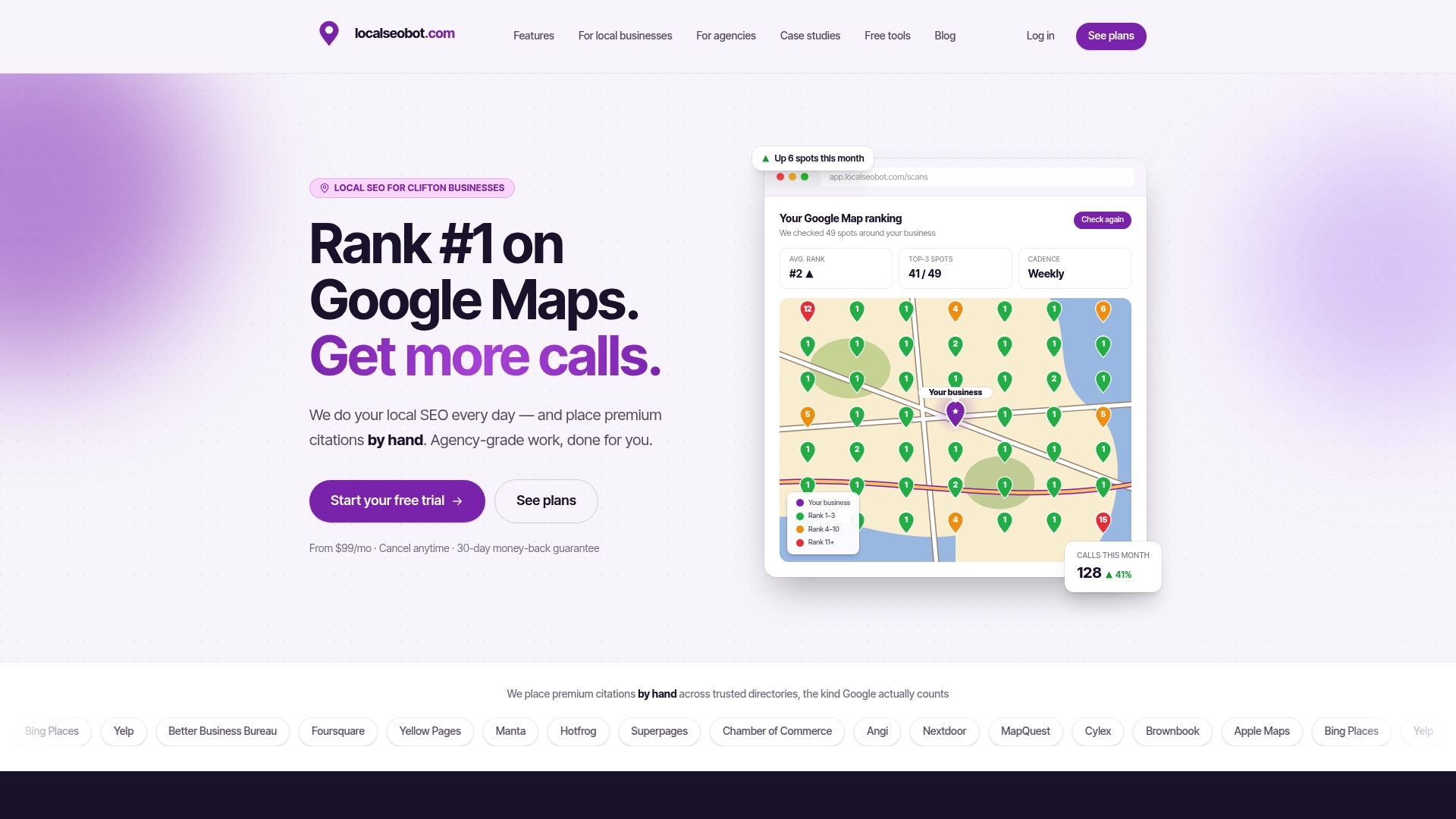
If you want to see where your profile stands before choosing a plan, start with the Google Business Profile audit.
Perspective: measure the cause, not just the calls
Most local SEO tools hand an owner a report and leave the work to them. Call tracking can fall into the same trap. You get a clean chart of last month’s calls and no change to next month’s.
We build Local SEO Bot around the opposite idea. The calls a profile produces depend on where it ranks, how complete it is, how fresh its posts are and how it handles reviews. So the work that matters happens before the phone rings: keeping the profile optimized, posting regularly, answering reviews, and scanning rankings across the service area.
Our team also builds citations by hand on high-authority directories. Consistent business data is exactly what makes a tracking number safe to use, and it is a signal Google trusts. We would rather an owner spend an hour on a consistent identity than a week chasing a lost ranking.
If you run one location, the simplest route is to let the work run on autopilot and judge it by the calls you answer. If you run client locations, white-label reporting lets you show those same results under your own brand.
Devyn H
FAQ
Can I still see who called my business in Google Business Profile?
No. Google removed call history on July 31, 2024, so the profile no longer lists individual calls. It shows only an aggregate count of call-button taps. A tracking number from a call tracking provider is how you get caller-level data today.
Is it against Google’s rules to use a tracking number on my profile?
Google’s guidelines ask for a number that connects to your business location, preferably a local one, and a number you control. They do not mention tracking numbers by name. The safe approach is a local tracking number as primary with your real number kept as an additional number, and consistent real-number data everywhere else.
Will call tracking hurt my Google Maps ranking?
It does not need to. Problems come from inconsistent phone data, such as a tracking number on some listings and the real number on others, or removing the real number. Keep your real number visible and consistent across your website and directories, and record a baseline so you can compare results over several weeks.
What is the difference between Google Ads call tracking and profile call tracking?
Google Ads call tracking uses a Google forwarding number shown on ads and, for ad visitors, on your website. It credits calls to campaigns. It is not meant for your Business Profile, so calls made from the profile need their own tracking number.
Why do my Calls numbers look lower than my real call volume?
The Calls figure counts taps on the call button, mostly from mobile. Customers who read your number and dial by hand, such as desktop users, are not in it, and neither are calls to your website number. A tracking number plus website number swapping gives a fuller count.
Sources
- Changes to Google Business Profile chat and call history
- Package google.mybusiness.businesscalls.v1
- Google Business Profile performance insights (Search Engine Land)
- Google Business Profile Call History and Chat Going Away (Search Engine Roundtable)
- Guidelines for representing your business on Google
- Google Business Profile Call Tracking: How to Measure Calls