Location Page Internal Linking: A Practical Structure
Published November 24, 2026
Location Page Internal Linking: A Practical Structure

A location page ranks when Google can find it, understands which place and service it covers, and sees the rest of your site pointing to it. Internal links do all three jobs. The working structure is simple: one locations hub that links to every location page, each location page linking back to the hub, to the service it offers and to a few nearby locations, and service pages linking down to the locations. If you run local SEO with Local SEO Bot, the same pages also become the destination for your Google Business Profile, which is where Maps visitors land.
This guide is for small business owners and agencies who manage location pages and want a linking plan they can finish in an afternoon.
TL;DR
- Build a hub-and-spoke structure: a locations hub, one page per real location, and service pages that connect to both.
- Every location page needs at least one crawlable link from another page on your site, and descriptive anchor text that names the place.
- Link each location page up to the service page that owns the generic keyword, and across to a handful of nearby locations only.
- Use standard HTML links, not scripts alone, so Google can follow them.
- Audit for orphan pages, fix them, then compare before-and-after performance for the affected page group.
Table of Contents
- Why internal links matter for location pages
- First decide which pages deserve to exist
- The hub-and-spoke structure
- Which pages should link where
- Choosing anchor text
- Make the links crawlable
- A step-by-step process to fix your linking
- Measure whether it worked
- How Local SEO Bot supports this
- Our view: links connect the website to the map
- FAQ
- Sources
Why internal links matter for location pages
Internal links are links from one page of your site to another page on the same site. They do two things for a location page. They let visitors reach it, and they let Google discover it and judge how it relates to the rest of the site.
Google’s own guidance says every page you care about should be linked from at least one other page on your site. The same page notes there is no magic number of links per page, so the goal is not more links. The goal is the right links, placed where a person would actually use them.
Location pages are especially exposed. They are often created in bulk, added to a menu once and forgotten, or hidden behind a search box. A page that nothing links to may be found late or not at all, and a customer browsing your site will never reach it either.
There is also evidence that deliberate linking pays. SearchPilot ran a controlled test on a site with about 8,000 regional pages in the US, adding links from each page to its six nearest neighboring regions. Organic traffic to the linked-to pages rose 7% compared with a control group that got no new links. It is one test on one site, so treat it as a sign that the approach is worth trying, not a promise.

First decide which pages deserve to exist
Linking cannot rescue pages that should not exist. Search Engine Land’s guidance on multi-location structure says a physical location with its own address, hours and staff generally deserves its own authoritative page, while service-area pages should be approved exceptions rather than the default answer to every city keyword.
A practical rule:
- Real storefront, office or branch: one location page, with its own address, phone number, hours, photos and team.
- Service-area business with a real base: one page for the base, plus a page for a nearby city only when you can say something true and specific about serving it.
- A city you merely want to rank in: no page until you have genuinely different content for it, such as local projects, local reviews or local pricing.
Copying one page with only the city name swapped creates thin pages that compete with each other, and no linking pattern fixes that. If you are planning a new service-area site, our walkthrough of setting up a local service site to rank in one city shows how we think about the first pages.
The hub-and-spoke structure
The model most multi-location guidance converges on is hub-and-spoke. Search Engine Land describes it as a locations directory linking to regional or individual pages, location pages linking to the services available there, and service pages linking back to relevant locations.
For a small business, that translates into three layers:
- The hub. A single “Locations” or “Areas we serve” page, linked from your main navigation or footer. It lists every location as a plain text link.
- The location pages. One per real location, each linked from the hub.
- The service pages. One per core service, each owning the generic keyword (for example, “water heater repair”).
The hub gives Google a single crawlable entry point to every location. The service pages give each location page a topical parent. The links between layers tell search engines how everything relates.
A single-location business can skip the hub and link the one location page from the main menu, the home page and each service page.
Which pages should link where
Use this table as a checklist. Each row is a link you add once, in the place a visitor would expect it.
| From | To | Why it matters |
|---|---|---|
| Main navigation or footer | Locations hub | One entry point instead of dozens of footer links |
| Locations hub | Every location page | Makes all locations discoverable and crawlable |
| Location page | Locations hub | Lets visitors find another branch |
| Location page | The service page for each service it mentions | Points the generic keyword to one owner page |
| Service page | Locations hub, or the specific locations that offer it | Helps people find the nearest site |
| Location page | Three to six nearby locations | Passes relevance between genuinely related places |
| Blog posts and guides | The location or service page they discuss | Gives useful pages inbound links in context |
| Team or staff pages | The locations where they work | Connects people to places |
The upward link from the location page to the service page is the one most often forgotten. Without it, every location page tries to rank for the generic service term as well as the local one, and your own pages end up competing for one query. Pointing each location page to the single service page that owns the generic term keeps the roles clear: the service page targets the service, the location page targets the service in that place.
Keep sideways links limited
Linking every location to every other location turns into a wall of links and tells Google nothing. Choose three to six that are truly related, usually the nearest neighbors, and put them in a short “Nearby locations” block. That matches the setup in the SearchPilot test, where each page linked to its six nearest neighbors.
Replace footer link farms
A footer containing 80 city links on every page of the site is noise. One footer link to the locations hub does the same discovery job and leaves the individual location links where they carry meaning.
Choosing anchor text
Google’s documentation says good anchor text is descriptive, reasonably concise and relevant to both the page it sits on and the page it links to. For location pages, that means naming the place and, where natural, the service.
Good examples:
- “Our Austin office”
- “HVAC repair in Round Rock”
- “the downtown Denver showroom”
Weak examples:
- “Click here”
- “Learn more”
- “Visit us”
Vary the wording. Writing the same exact-match phrase, such as “best plumber Round Rock TX”, in link after link across 200 pages reads as a pattern rather than as help. Write the anchor the way you would say it to a customer: a sentence that names the place and the thing they want.
A quick cleanup: search your site for “click here” and “read more” and rewrite each one so the link text names its destination.
Make the links crawlable
This is where many location sections quietly fail. Google can generally only follow a link that is an <a> element with an href attribute. Links built only with JavaScript click events, spans or anchors without an href are not reliably parsed. Links inserted by JavaScript still work if they output standard <a href> markup.
The usual trouble spot is the store locator: a map widget where visitors type a ZIP code and results appear. If those results never exist as normal links in the page, search engines may have nothing to follow. The fix is not to remove the locator. Add a plain list of location links underneath it, pointing to the same URLs the widget uses. Our guide to store locator SEO walks through this in more detail. For the wider principles of making links readable by crawlers, this internal linking how-to with proven strategies is worth reading alongside it.
One more connection to make: your Google Business Profile for each location should link to that location’s own page, not the home page. That sends Maps visitors to the page about the place they searched for, and it closes the loop between your profile and your site.

A step-by-step process to fix your linking
You can do this in one sitting for most small sites.
Step 1: List your location pages
Write down every location page and every service page. Include the URL, the location it covers and its main service. If two pages target the same service in the same place, decide which one stays and merge the other into it.
Step 2: Build or fix the hub
Create a locations page with a plain text link to each location page, using the place name as the anchor. Link it from the main navigation or the footer. If you have many locations, group them by state or region, with each region page linking to its locations.
Step 3: Add the upward and downward links
On each location page, link the first mention of each service to the matching service page. On each service page, add a short section that links to the hub or to the locations offering that service.
Step 4: Add nearby locations
Choose three to six related locations for each page and add them in a short block near the bottom, with anchors that name the place.
Step 5: Find orphan pages
An orphan page is one that nothing on your site links to. To find them, compare a crawl of your site against your XML sitemap, your CMS page list and Google Search Console. Any URL that appears in those lists but not in the crawl is an orphan candidate. BestEdgeTech’s audit guide adds that Search Console’s Links report is only a sample and that a sitemap is a hint, not a guarantee, so use several sources before you decide. Add a crawlable link to each real orphan and remove or redirect the ones that should not exist.
Step 6: Check the rendered result
After changes go live, view the rendered page and confirm each new link is a standard anchor with an href, and that the destination loads normally. Google Search Console’s Links report also shows which of your pages have the fewest internal links, which is a quick way to spot pages you care about that sit near the bottom.
Measure whether it worked
Treat linking changes as a test, not a guarantee. Pick the group of pages you changed, record their clicks and impressions from Search Console for a few weeks before, then compare after. Keep an unchanged group of similar pages as a rough control if you can, since seasonality moves everything.
Also watch what visitors do. If more people reach a location page and click through to call or get directions, the links are helping even before rankings move. There is no fixed time by which rankings must change after a link update, so give it several weeks before judging.
For Maps specifically, page links are only one input. Your profile, reviews and citations matter at least as much, and rankings vary block by block across your service area, which is why we track them with map grid scans rather than a single position number.
How Local SEO Bot supports this
Internal links help Google understand your pages, but Maps rankings also depend on your Google Business Profile, your reviews and your listings on trusted directories. Local SEO Bot does that work for you: it optimizes your Google Business Profile, publishes regular posts, tracks rankings across your service area with map grid scans and responds to reviews, while our team builds premium citations by hand on high-authority directories.
Plans are billed per location: Foundation is $99 per month per location, and Growth is $199 per month per location, both on our pricing page. We offer a 30-day money-back guarantee if a business doesn’t see a ranking increase.
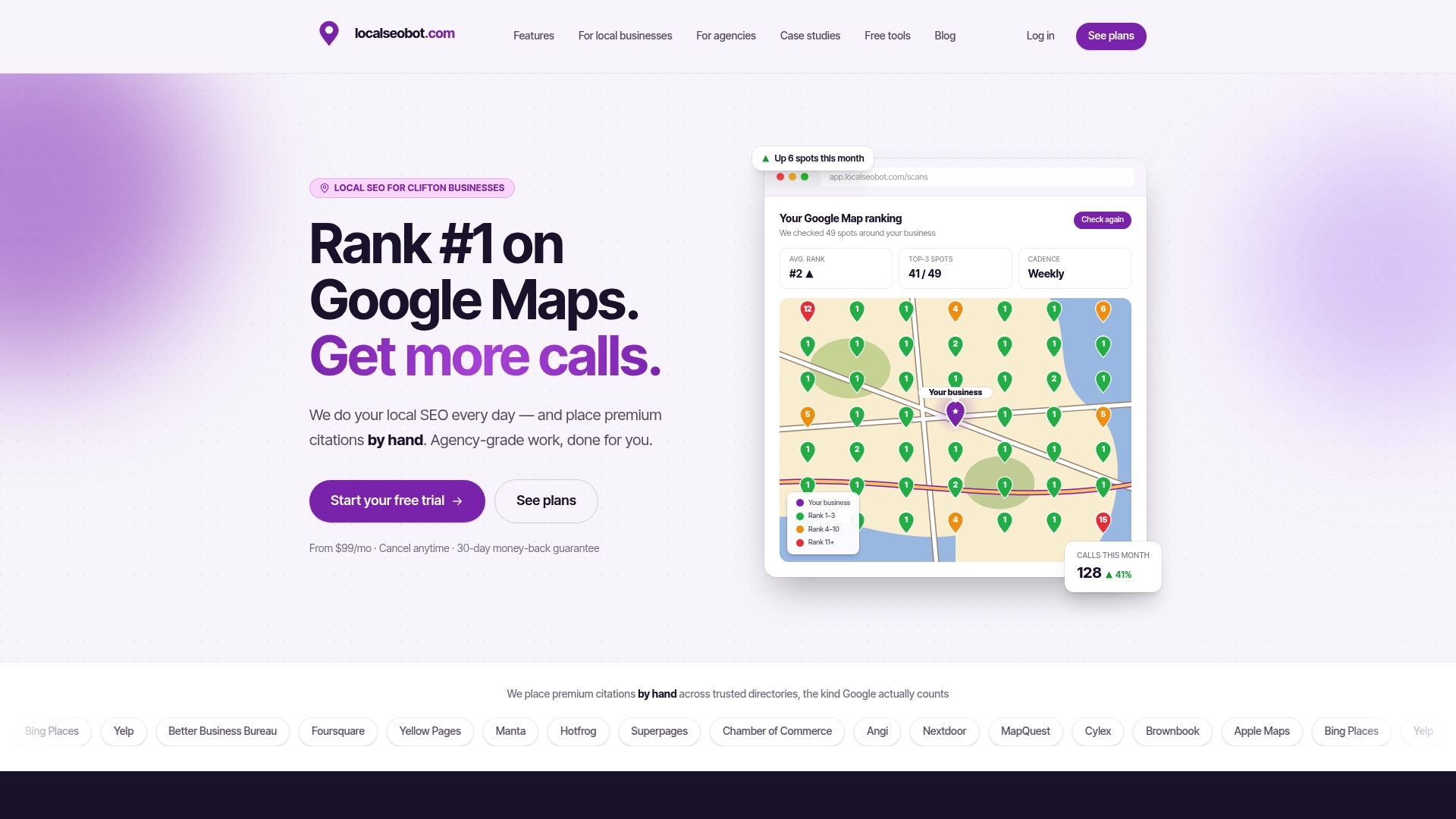
If you want to see where each location stands before changing anything, our Google Maps rank tracker shows grid scans across your service area.
Our view: links connect the website to the map
Most location page advice stops at the website. We think that is only half the job. A customer finds a business on Google Maps first, taps through to the profile, and then lands on a page. If that page is the home page, or a location page nothing else supports, you lose the connection you worked to earn.
That is why we treat the profile, the location page and the links between them as one system. The profile should point to its own location page. The location page should point up to the service and across to its neighbors. And rankings should be measured the way customers experience them: block by block, not as one number.
Owners rarely lack the knowledge to do this. They lack the weekly time. Our approach is to take the repeating work, the profile updates, posts, review replies and ranking scans, off the owner’s desk, and to have our team build citations by hand so the signals are ones Google trusts. The site structure is the part you set once and then maintain.
Devyn H
FAQ
How many internal links should a location page have?
There is no ideal number. Google’s documentation says there is no magic count of links per page. Make sure the page has a link from the hub and the relevant service pages, links back up to the hub and its service, and a few nearby locations. Add more only where they genuinely help a visitor.
Should every location page link to every other location page?
No. Link to the three to six most related locations, usually the nearest ones. A full cross-link between dozens of pages adds clutter without adding meaning, and a single link to the locations hub covers the rest.
Can a location page rank if nothing links to it?
It can be found through a sitemap, but a page with no internal links gives Google no signal that it matters, and visitors browsing your site cannot reach it. Google advises that every page you care about be linked from at least one other page on your site.
What should I do if my store locator is built with JavaScript?
Keep the locator and add a plain list of links to every location page beneath it, using standard anchor links. Point the locator results and each Google Business Profile to the same location URLs.
Sources
- SEO Link Best Practices for Google, Google Search Central
- Multi-location SEO: How to structure geographic pages, Search Engine Land
- Internal linking case study: links to nearby location pages, SearchPilot
- Internal linking how-to: boost your SEO with proven strategies