Google Posts Frequency: How Often to Post in 2026
Published November 27, 2026
Google Posts Frequency: How Often to Post in 2026

Post on your Google Business Profile once a week, every week. That is the cadence Google’s own 2026 best practices playbook recommends for service businesses, and it is one a busy owner can keep up for years. Posting six times a week or several times a day adds work without any documented payoff. A missed month does more damage than a slower pace. We built Local SEO Bot to publish regular Google posts for you, so the weekly rhythm happens even in your busiest season.
This guide covers what Google says about timing, what the evidence shows about posts and rankings, how to build a weekly schedule you will actually keep, and how to tell whether it is working.
TL;DR
- Aim for one post per week per location. Google’s 2026 playbook recommends at least that, and it is easy to sustain.
- Google lists relevance, distance and prominence as the main local ranking factors. Posts support them by keeping your profile current and giving customers a reason to act.
- Posts older than six months are archived unless they carry a date range, so a weekly rhythm keeps fresh content visible.
- Rotate the three post types (Updates, Offers, Events) and always add a clear button.
- Check your Business Profile performance data monthly: calls, website clicks and direction requests tell you what your posts are doing.
Table of Contents
- What Google actually recommends
- Do more posts mean higher Maps rankings?
- How long a post stays visible
- The three post types and when to use each
- A weekly schedule you can keep
- What to do when you cannot post weekly
- How to tell whether your schedule is working
- Perspective: consistency is the real frequency rule
- Put the weekly rhythm on autopilot
- FAQ
- Sources
What Google actually recommends
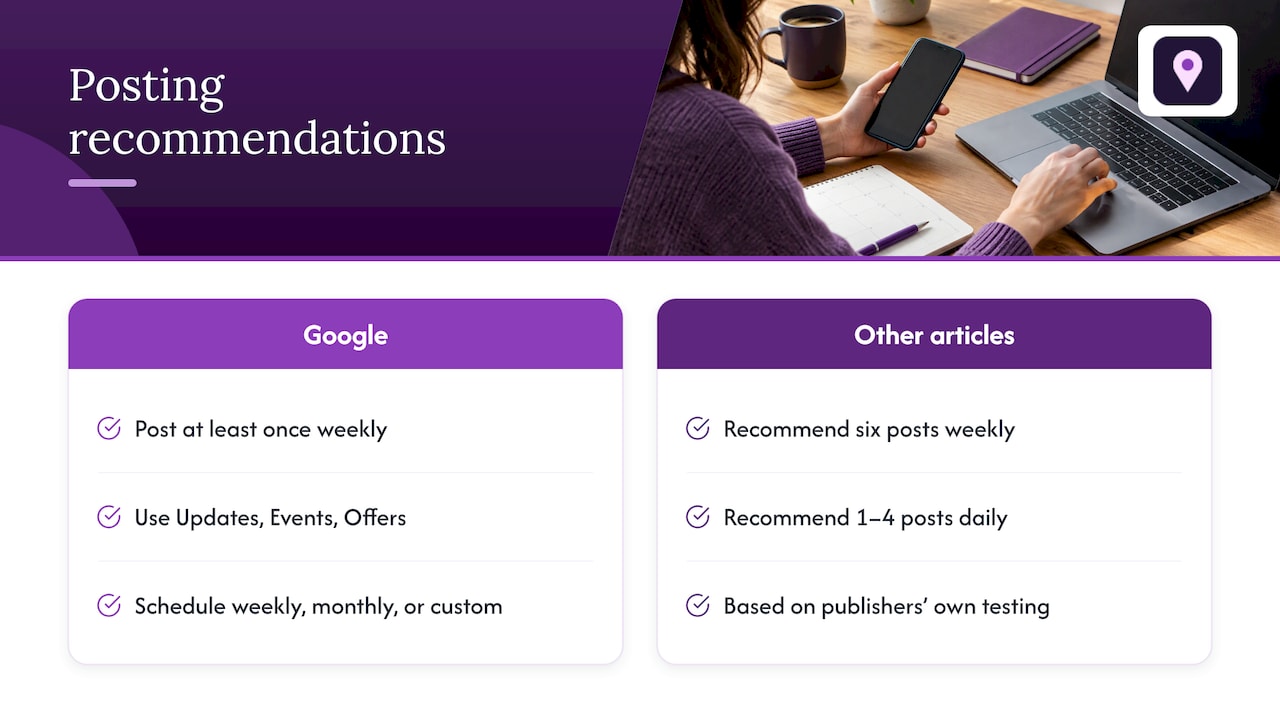
Google gives no official daily or weekly quota for posts. What it publishes is more practical. The 2026 Services playbook for Business Profiles recommends posting at least once a week and using Updates, Events and Offers.
Google’s posting help page adds a useful tool: the post editor lets you schedule a post and repeat it weekly, monthly or on a custom schedule. You can prepare several weeks of content in one sitting and let it publish itself.
Some articles that rank for this topic recommend six posts a week or one to four a day. Those figures come from the publishers’ own testing and not from Google. For a plumber, a dental office or a restaurant with one location, they are also unrealistic. Once a week is the number to build around.
Do more posts mean higher Maps rankings?
Google’s local ranking guidance names three main factors: relevance, distance and prominence. Post frequency is not on that list, as summarized by Merchant Context in October 2026. The same article reports a September 2026 survey of 47 local-search experts, who placed post frequency 148th out of 187 factors for map rankings. That is expert opinion, not a measurement of Google’s algorithm, but it points the same direction as Google’s guidance.
What does that mean for your schedule? Do not treat posting as a button that moves you up the map. Treat it as part of a complete profile:
- Relevance: your posts repeat the services and neighborhoods you want to be found for, in your own words.
- Prominence: an active profile with recent offers, photos and reviews gives customers a stronger reason to call you than a stale competitor’s.
- Conversion: a person who finds you on Maps and sees a current offer with a Call or Book button is more likely to act.
The ranking lift for a Maps listing comes from the whole system: category choices, service descriptions, reviews, citations and consistent business details. Posts are the part of that system that needs steady attention, which is why they are the part most owners drop.
How long a post stays visible
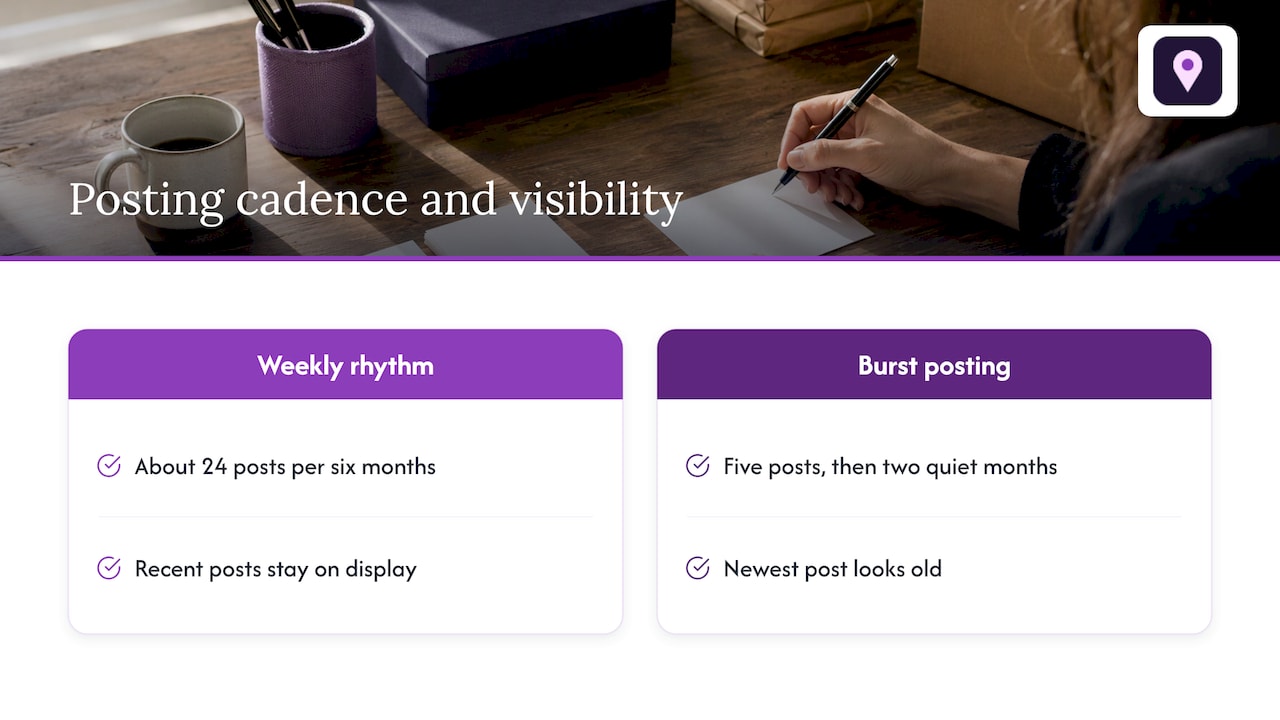
Visibility explains why the weekly rhythm works. Google says posts older than six months are archived unless a date range is set. Offers and Events carry their own dates and stop showing when those dates pass.
Customers see your posts in the Updates or Overview tabs on mobile Search and Maps, and in the From the owner section on desktop. In practice, the first thing a visitor sees is your newest posts, and those are the ones that shape their impression.
So the arithmetic is simple. If you post weekly, you always have recent posts on display and roughly two dozen in the six-month window. If you post in bursts of five and then go quiet for two months, the newest item looks old, even though the profile technically still has content.
The three post types and when to use each
Google’s help page lists three post types. Each fits a different job.
| Post type | Best for | What Google requires |
|---|---|---|
| Update | Services, projects, seasonal tips, news, new hours | Text, ideally a photo, and an optional button |
| Offer | Discounts, free estimates, bundles | A title and a start and end date |
| Event | Open houses, workshops, sales days | A title and start and end dates |
One detail trips owners up: an Event with no start or end time appears as lasting 24 hours on the event dates. If your workshop runs from 10 a.m. to 1 p.m., enter those times.
For ideas on wording and photos, see our Google My Business post examples.
A weekly schedule you can keep
A schedule you can hold for 52 weeks beats an ambitious one that lasts three. This four-week rotation suits a single-location service business:
- Week 1, Update: a recent job or project, with a photo and the neighborhood where you did it.
- Week 2, Offer: a time-limited promotion with real dates, such as a seasonal tune-up or a first-visit discount.
- Week 3, Update: a short answer to a question customers ask you often, ending with a Call button.
- Week 4, Event or Update: an event if you have one, otherwise a team, certification or community post.
Then repeat. A few rules make the rotation work:
- Use real photos. A phone photo of your own truck, storefront or finished work does more than a stock image.
- Name the service and the area once, naturally. “Water heater replacement in North Austin” tells customers and Google what the post covers.
- Add a button every time. Call, Book, Order, Learn more or Sign up. A post without a next step is a missed lead.
- Keep each post short. Two to four sentences is enough.
- Batch the work. Write four posts on the first Monday of the month and schedule them using the weekly and custom repeat options in Google’s editor.
Our Google posts checklist for small businesses walks through what to check before each post goes live.
What to do when you cannot post weekly
Busy seasons happen. A roofer in July or an accountant in March will not feel like writing a post. Keep the rhythm in these ways:
- Schedule the next four to six weeks in advance, before the busy season starts.
- Reuse the structure, not the text. A seasonal offer can return each year with fresh dates and a new photo.
- Prioritize Offers and Events during slow weeks. They have a clear call to action and a built-in expiry date.
If you still cannot hold the weekly pace, a scheduling tool or an automated service is worth considering. We compare the options in when a Google posts scheduler is worth paying for. For a broader look at the category, this overview of Google Business Profile management software shows what such platforms typically cover.
How to tell whether your schedule is working
Google shows performance data for verified profiles: how people find your profile in Search and Maps and what they do next, including calls, website clicks and other actions. Only the metrics that apply to your business appear.
A simple monthly review:
- Record calls, website clicks and direction requests for the month.
- Note which weeks had an Offer or Event live.
- Compare the next month. Did calls rise during the weeks a specific offer ran?
- Keep the post types that line up with action and adjust the ones that do not.
Also track where you appear on the map. Rankings differ block by block across your service area, so a single check from your office is misleading. Our geo-grid rank tracker scans a grid across your service area and shows where you rank in each spot, so you can see whether your profile activity is paying off in the neighborhoods you care about.
Perspective: consistency is the real frequency rule
Most owners ask us how many posts a week they need. The honest answer is that the number matters less than whether you are still posting in month eight. Google’s own guidance asks for a steady weekly rhythm, and its ranking factors are relevance, distance and prominence. Posts feed all three when they are regular, specific and tied to a real service.
The problem we see is not knowledge. Owners know they should post. They just have a customer in front of them and a post waiting in the drafts. Most SEO tools make that worse by handing over a report and leaving the work to you.
That is why Local SEO Bot is built as an agent that does the work: it optimizes the Google Business Profile, publishes regular posts, tracks rankings with map grid scans and responds to reviews on autopilot. Behind the AI, our team manually builds premium citations on high-authority directories, so the business gets signals Google trusts as well. Posting is one piece of that system, and we think it should be the piece you never have to think about.
For agencies, the same logic applies at scale: one dashboard, white-label options and a consistent weekly cadence across every client location, without a person remembering to log in to each one.
Devyn H
Put the weekly rhythm on autopilot
If you would rather not write and schedule posts yourself, Local SEO Bot handles Google Business Profile posting alongside profile optimization, map grid rank tracking and review replies. Plans are billed per location: Foundation is $99 per month and Growth is $199 per month, and the Pro plan for agencies is $399 per month per location. We back it with a 30-day money-back guarantee if you do not see a ranking increase.
Want to see where your profile stands first? Run our Google Business Profile optimizer for a look at what is missing.
FAQ
How often should I post on Google Business Profile?
Once a week is the baseline. Google’s 2026 playbook recommends at least weekly posting and a mix of Updates, Events and Offers. If you can only manage two posts a month, keep that pace without gaps instead of posting heavily and then disappearing.
Do Google posts expire?
Yes. Google archives posts older than six months unless a date range is set, and Offers and Events stop showing after their end dates. Weekly posting keeps recent content in front of customers at all times.
Is posting every day better than posting weekly?
There is no Google guidance that daily posting helps more. Google lists relevance, distance and prominence as the main local ranking factors, not post frequency. A weekly post with a real photo and a clear button is a better use of your time than daily filler.
Can I schedule Google posts in advance?
Yes. Google’s post editor lets you schedule posts and repeat them weekly, monthly or on a custom schedule. Many owners write a month of posts at once. Local SEO Bot can also publish posts for you automatically.
Sources
- Create & manage posts on your Business Profile, Google Business Profile Help
- Services GBP Best Practices Playbook 2026, Google
- How to post on Google Business Profile, Merchant Context
- Understand your Business Profile performance & insights, Google Business Profile Help
- Google Business Profile management software overview