Local Finder Rankings: How to Check and Improve Yours
Published November 19, 2026
Local Finder Rankings: How to Check and Improve Yours

Your Local Finder ranking is your position in the long, scrollable list of businesses Google shows when someone taps “More places” under the local pack. It is not one number. It changes with the searcher’s location, the keyword and even the hour, so the only reliable way to check it is to scan many points across your service area and watch the trend. Doing that by hand is slow. We built Local SEO Bot to run the grid scans, then act on what they show: optimizing your Google Business Profile, posting, replying to reviews and building citations.
This guide explains what Local Finder rankings are, why they differ from block to block, how to check them, and what actually moves them.
TL;DR
- The Local Finder is the expanded list of local results behind the 3-pack. Its order can differ a lot from what you see in the pack or in the Maps app.
- Google ranks local results mainly on relevance, distance and prominence, and nobody can pay for a better position.
- A single “I rank #2” check from your office is misleading. Scan a grid of points across your service area and track the trend over weeks.
- Fresh, steady reviews, an accurate profile with the right categories, and consistent citations are the levers you control.
- Small businesses can get this done on autopilot. Agencies can run it for client locations under their own brand.
Table of Contents
- What Local Finder rankings actually are
- Why your ranking changes from one block to the next
- What Google says drives local rankings
- How to check your Local Finder rankings across your service area
- What to do about it: a 90-day plan
- For agencies: what to look for in rank-tracking software
- Our perspective
- Plans and getting started
- FAQ
- Sources
What Local Finder rankings actually are
Google shows local businesses in three main places: the Maps app, the local pack (the three listings with a map at the top of a regular search) and the Local Finder, the expanded list with multiple pages of results. Search Engine Land’s guide to Maps versus local search describes these as separate sets of results. In its example, the first 10 results in Maps and in the Local Finder were 60% different, and the Local Finder’s order tracked Maps more closely than it tracked the top three of the pack.
What this means for you:
- Being in the 3-pack is the prize, because those listings get the first look.
- The Local Finder is the second chance. A searcher who wants more options taps through, and your position there decides whether you are seen.
- Your position in Maps and in the Local Finder is not guaranteed to match, so checking only one gives you a partial picture.
Local Finder rankings are different again from your website’s organic rankings. Those are the ten blue links, driven by your site. Local results are driven mostly by your Business Profile, reviews and local signals. Track them separately.
Why your ranking changes from one block to the next
If you have ever searched for your own business from your shop and from your home and seen two different results, nothing is broken. Distance is one of Google’s three main local signals. Search Engine Land’s proximity guide explains that the closer a searcher’s device is to your business, the more visible you tend to be, and that moving farther away can lower your rankings.
There is a second layer. Search Engine Land’s local SEO audit guide states that there are no universal local ranking positions: Google personalizes local results by the searcher’s location at search time, and the order can shift hour to hour depending on which businesses are open. Its advice is to track visibility trends over time rather than trust one day’s position.
A plumber with a shop on the east side of town might hold position 1 within a mile, position 6 at two miles and not appear at all on the west side. All of those are “the ranking.” The useful question is not “where do I rank?” but “across the area I serve, where do I show up, and is that area growing?”

What Google says drives local rankings
Google’s own guidance on improving your local ranking says local results are mainly based on relevance, distance and prominence:
- Relevance: how well your profile matches what the person searched for.
- Distance: how far you are from the searcher, or from the location they named.
- Prominence: how well known your business is, which includes signals such as links and reviews. Google notes that more reviews and positive ratings can help.
Google also states that there is no way to request or pay for a better local ranking. It advises verifying your Business Profile, keeping information complete and accurate, responding to reviews, and adding photos and videos.
You cannot change distance, so the work is in relevance and prominence. Three areas matter most.
Profile accuracy and categories
Google’s guidelines for representing your business tell you to use your business name as it is known in the real world, keep your address or service area accurate, and choose the fewest, most specific categories that describe your core business. A roofing contractor listed under “contractor” competes less well for roofing searches than one listed as a roofing contractor. Mismatched details across your profile are an easy way to lose relevance.
Review velocity and recency
Search Engine Land’s March 2026 Business Profile audit notes that the pace and freshness of reviews often count for more than the total. Its example: a competitor with 100 reviews from the last month can outrank a business with 500 reviews and none since 2024. The practical lesson is to ask for reviews continuously, not in a burst once a year.
Keep it clean. Google’s review guidance says reviews must reflect a genuine experience and that offering free or discounted goods or services in exchange for reviews is prohibited. Remind customers with your review link or a QR code, and reply to the reviews you get.

Citations and consistency
Citations are listings of your name, address and phone number on directories. Consistent, trusted listings reinforce that your business is real and where you say it is. Quality matters more than volume, which is why we build premium citations by hand on high-authority directories rather than submitting to hundreds of low-value sites.
How to check your Local Finder rankings across your service area
Here is the routine, with where each step tends to go wrong.
Step 1: Define the area and the keywords
Draw the area you actually serve, not the whole metro. Then pick five to ten keywords that match how customers search, such as “emergency plumber” or “dentist near me.” Where it goes wrong: choosing keywords you wish you ranked for instead of ones that bring calls.
Step 2: Check from many points, not one
A geo-grid scan checks your position for a keyword from a grid of points laid over your service area, then colors each point by rank. A 5x5 grid gives you 25 data points. The picture shows at a glance where you are strong and where competitors own the ground. Where it goes wrong: manual checks from your phone reflect your own location, your search history and the time of day. They are not a map of your market. If you want to see how scanning works in practice, our geo-grid rank tracker page walks through it, and for a broader grounding in geo-grid measurement across locations and keywords, these local SEO and AEO guides are worth a read.
Step 3: Record the right metrics
Search Engine Land’s audit recommends watching more than average position. Track:
- Average rank across the grid, to see overall movement.
- Share of local visibility, meaning the share of grid points where you appear in the top three. The same audit points to Share of Local Voice as a way to find a market’s ranking ceiling.
- Review velocity and recency compared with the top competitors in each keyword.
Where it goes wrong: judging by a single best point. One green square near your door does not mean the market is yours.
Step 4: Scan on a schedule
Because rankings move by hour and day, one scan proves little. Run the same scan on the same keywords weekly or monthly, and compare like with like. Local SEO Bot runs map grid scans across your service area and tracks the results over time, so you see trend lines instead of snapshots. You can also try our free Local Search Visibility Analyzer for a first read on where you stand.
Step 5: Turn the gaps into tasks
Red or empty areas on the grid are your to-do list. Common causes and fixes:
| What the grid shows | Likely cause | What to do |
|---|---|---|
| Strong near your address, fading fast | Distance bias, thin prominence | Build reviews, citations and posts to strengthen the signals that carry farther |
| Strong for one keyword, absent for another | Relevance gap | Check categories, services and profile description |
| Competitors ahead everywhere | Fresher reviews, stronger profile | Compare review velocity and profile completeness |
| Sudden drop everywhere | Profile change, suspension or listing inconsistency | Audit the profile and listings |
A worked example: a dental practice scans “emergency dentist” on a 7x7 grid and finds it ranks in the top three at 12 of 49 points, all within a mile. The competitor two miles north has twice the recent reviews. The plan is simple: a steady review request flow, a tighter category setup, regular posts and cleaned-up citations. Rescan monthly and track how many of the 49 points turn green.
What to do about it: a 90-day plan
- Week 1: Verify your profile, fix the name, address, phone and hours, and trim categories to the most specific primary plus relevant secondary ones. Our Google Business Profile Optimizer and Google Business Profile Audit pages show what we check.
- Week 1: Run a baseline grid scan for your top keywords and save it.
- Weeks 2 to 12: Ask every happy customer for a review through your review link, and reply to every review.
- Weeks 2 to 12: Publish profile posts on a regular schedule and add fresh photos.
- Weeks 3 to 8: Fix and build citations so your business details match everywhere.
- Week 12: Rescan with the same settings and compare against the baseline.
None of this is secret. The hard part is doing it every week for months while running a business. That is the gap between knowing the factors and moving the grid.
For agencies: what to look for in rank-tracking software
If you manage local SEO for clients, the grid is also your proof of work. Judge any tracker on these points:
- Consistent grid settings. Same grid size, spacing and keywords each time, so reports compare cleanly.
- Location-based pricing you can model. Know the cost per client location before you quote a retainer.
- White-label reporting and a client dashboard under your brand.
- Action, not just reporting. A tracker that only reports leaves you to do the profile work, posting, review replies and citations by hand for every location.
Our Pro plan is $399 per month per location and is sold through our agency pricing page. We offer white-label and agency dashboard capabilities, so you can run local SEO automation for client locations without building the stack yourself.
Our perspective
Most local SEO tools hand you a report and leave the work to you. A rank grid with red squares tells you what is wrong. It does not fix it.
We built Local SEO Bot to do the work itself. It optimizes your Google Business Profile, publishes regular posts, tracks your rankings across the service area with map grid scans, and responds to reviews, all on autopilot. Behind the AI, a dedicated team builds premium citations by hand on high-authority directories, because the signals Google trusts are worth doing properly.
Local Finder rankings reward steady effort across relevance and prominence. A business owner with a full schedule rarely sustains that, and an agency with dozens of locations cannot sustain it by hand either. Automation with human oversight is how it becomes routine.
We are confident enough in this approach to offer a 30-day money-back guarantee if a business does not see a ranking increase.
Devyn H
Plans and getting started
If you want the scanning and the work done for you, Local SEO Bot is sold per location, per month:
- Foundation: $99 per month per location
- Growth: $199 per month per location
- Pro: $399 per month per location
See Foundation and Growth pricing for what each includes, or Pro pricing for agencies. Prices are as published on our site in October 2026. Our 30-day money-back guarantee applies if you do not see a ranking increase.
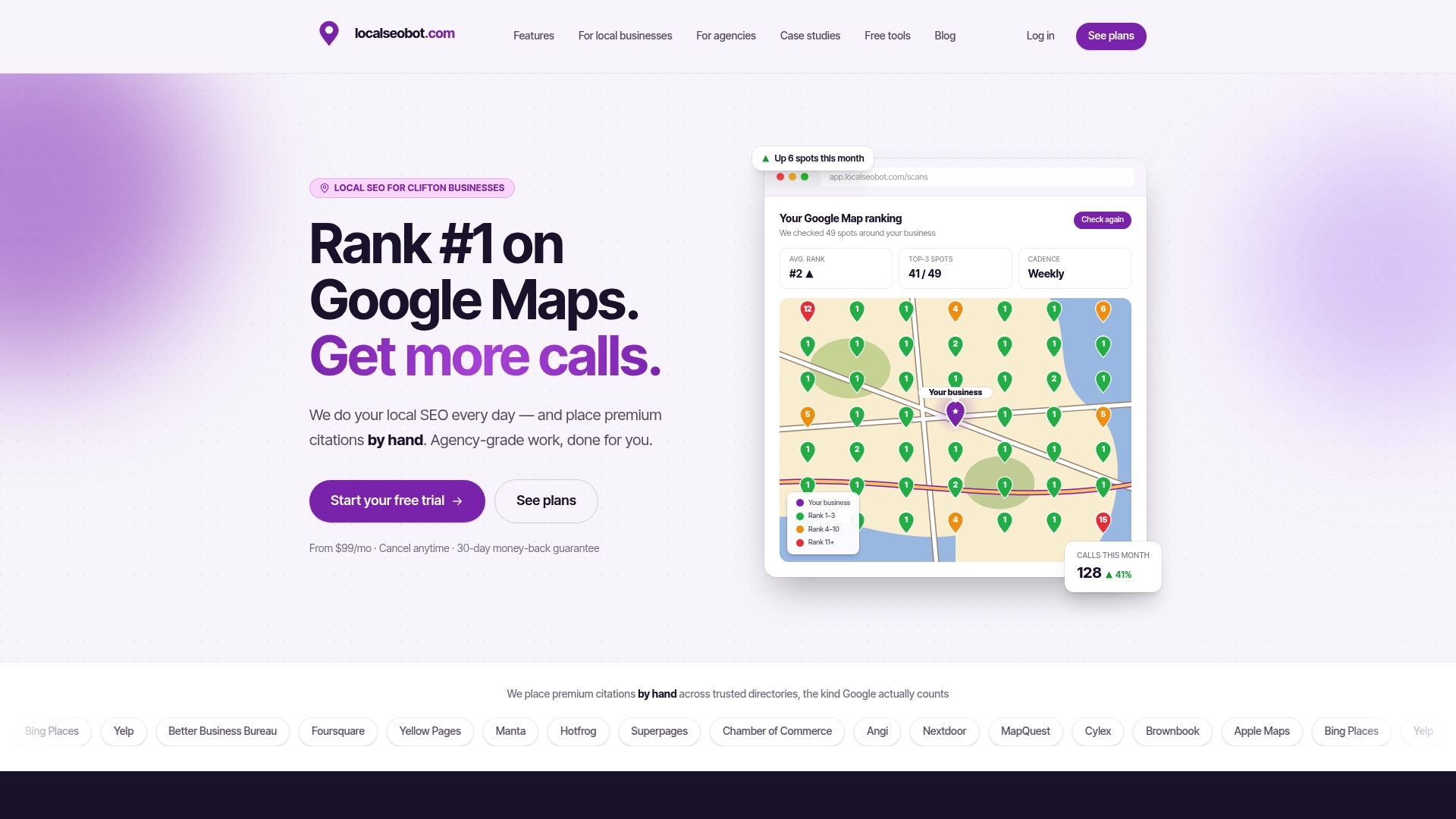
To see how it fits your business before you decide, read about Google Maps SEO with Local SEO Bot.
FAQ
What is the difference between the local pack and the Local Finder?
The local pack is the group of three listings with a map at the top of a Google search. The Local Finder is the expanded list that opens when a searcher chooses to see more places, with multiple pages of results. Its order can differ noticeably from both the pack and the Maps app.
Why do I rank differently depending on where I check?
Google personalizes local results by the searcher’s location at the moment of the search, and distance is one of its three main signals. Results can also shift as businesses open and close during the day. That is why scanning a grid over several weeks tells you far more than one check.
Can I pay Google for a better Local Finder ranking?
No. Google states there is no way to request or pay for a better local ranking. What you can do is improve relevance and prominence: an accurate profile, specific categories, steady genuine reviews and consistent citations.
How often should I scan my rankings?
Weekly or monthly on the same keywords and the same grid settings is a sensible rhythm for most local businesses. Rankings move hour to hour, so the trend over several scans matters more than any single result.
Sources
- Google Maps vs Local Search rankings, Search Engine Land
- The proximity paradox: Beating local SEO’s distance bias, Search Engine Land
- Local SEO Audit Guide, Search Engine Land
- 5-step Google Business Profile audit, Search Engine Land
- Tips to improve your local ranking on Google, Google Business Profile Help
- Guidelines for representing your business on Google, Google Business Profile Help
- Tips to get more reviews, Google Business Profile Help