How to Manage Business Listings for Small Businesses
Published August 6, 2026
How to Manage Business Listings for Small Businesses

To manage business listings means claiming, standardizing, and continuously maintaining your business information across every platform customers use to find you. Listing management starts with three actions you can take today:
- Run a fast audit. Search your business name on Google, Apple Maps, and Yelp. Note every inconsistency in your name, address, or phone number (NAP).
- Claim and verify your Google Business Profile. A free Business Profile on Google Search and Maps is the single highest-impact listing you own.
- Lock a canonical NAP. Decide on one exact version of your business name, address, and phone number, then update your top directories to match it.
Get these three right and you’ve addressed the foundation. Everything else builds on them.
Key Takeaways
Consistent, complete listings across Google, Apple, Bing, Yelp, and major data aggregators are the foundation of local search visibility for U.S. small businesses.
| Point | Details |
|---|---|
| Start with an audit | Search your business name across platforms and document every NAP inconsistency before making any changes. |
| GBP is the top priority | Claim and verify your Google Business Profile first; it has the highest impact on Maps and local search rankings. |
| Canonical NAP prevents drift | Save one exact version of your name, address, and phone in a shared document and use it everywhere. |
| Cadence beats one-time fixes | Daily checks, weekly posts, monthly audits, and quarterly category reviews keep listings accurate over time. |
| Localseobot scales the work | Localseobot combines manual premium citation building with SaaS automation and a 30-day money-back guarantee for ranking results. |
Table of Contents
- How should you manage business listings on an ongoing basis?
- Which directories should U.S. small businesses prioritize?
- What listing fields actually drive local search performance?
- DIY, SaaS, or managed service: which option fits your business?
- What metrics should you track for listing performance?
- Common listing problems and exactly how to fix them
- How Localseobot approaches listing management
- What the data consistently shows about listing management
- Localseobot handles the workflow so you don’t have to
- Sources
How should you manage business listings on an ongoing basis?
Consistent listings management isn’t a one-time project. It’s a repeatable cadence. Here is how to structure it:
Daily
- Check for urgent errors: wrong hours, phone routing failures, or spam edits pushed by third parties.
- Scan for new reviews or customer messages and flag anything needing a response.
Weekly
- Post fresh content or photos to your Google Business Profile (GBP). Research suggests that regular posts and photo uploads improve local visibility.
- Respond to any unanswered reviews. Timely responses signal activity to both Google and prospective customers.
- Check for unauthorized edits pushed by directories or user suggestions.
Monthly (30–60 minutes)
- Run a listings audit across your prioritized platforms. Flag any NAP inconsistencies, missing fields, or outdated hours.
- Resolve duplicate listings. Duplicates split ranking signals and confuse customers.
- Update seasonal hours, promotions, or service changes.
Quarterly
- Verify your primary and secondary categories are still accurate.
- Confirm your structured citations through major data aggregators (Data Axle, Neustar Localeze) are current.
- Review visibility metrics: map pack impressions, clicks-to-call, and direction requests.
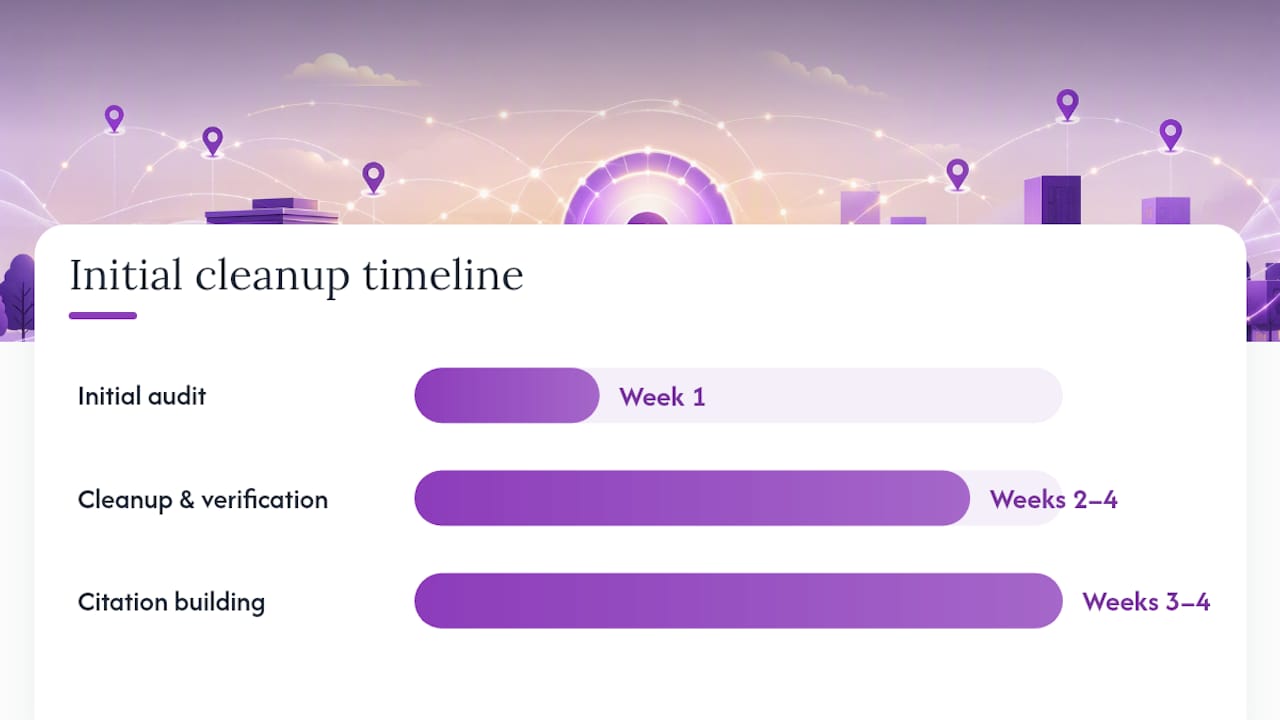
How long does it take to reach steady state? The initial audit and cleanup phase typically runs several weeks, depending on how many listings you have and how many duplicates need resolving. After that, the ongoing cadence above keeps everything accurate with minimal weekly effort.
| Phase | Typical Duration | Primary Tasks |
|---|---|---|
| Initial audit | Week 1 | Find all listings, document NAP errors, identify duplicates |
| Cleanup and verification | Weeks 2–4 | Claim profiles, fix NAP, suppress duplicates |
| Citation building | Weeks 3–4 | Push consistent data to aggregators and directories |
| Steady-state maintenance | Ongoing | Weekly posts, monthly audits, quarterly category checks |
The timeline above is a typical range; some businesses may require longer for the audit and cleanup phase if they have more locations or a high number of duplicate and inconsistent listings. Customize your expectations based on your business’s listing footprint.
Which directories should U.S. small businesses prioritize?
Not every directory moves the needle equally. Focus your time here first, in this order:
- Google Business Profile. The highest-impact listing for any U.S. business. It drives local ranking through relevance, distance, and prominence, and it’s the gateway to the Google Maps pack.
- Apple Business Connect. Apple Maps serves iPhone users who never open Google. Claiming your listing here captures a meaningful share of mobile searches.
- Bing Places. Bing syndicates to Yahoo and powers voice search on certain devices. A claimed Bing listing costs nothing and extends your reach.
- Facebook Business Page. Local discovery on Facebook is driven by proximity and reviews. A complete page also functions as social proof when customers check you out before calling.
- Yelp. Review-driven discovery, particularly strong for restaurants, home services, and health businesses. Yelp’s own search results rank in Google, so your Yelp profile has double exposure.
- Foursquare. Powers location data for dozens of third-party apps and maps. Accurate Foursquare data cascades to platforms you may never directly manage.
- Data Axle and Neustar Localeze. These are data aggregators, not consumer directories. They feed your NAP to hundreds of downstream directories automatically. Getting your data right at the aggregator level is one of the most efficient moves in business directory management.
Industry-specific directories (Houzz for contractors, Healthgrades for medical practices, Avvo for attorneys) are worth adding once the core platforms above are clean and verified. Don’t start there.
What listing fields actually drive local search performance?
Completeness matters. Google’s local ranking guidance is explicit: businesses with complete, accurate profiles rank better because Google can more confidently match them to relevant searches.
Core fields to standardize across every directory:
- Business name (exact legal or DBA name, no keyword stuffing)
- Address (consistent formatting, including suite/unit style)
- Primary phone (local number preferred over toll-free)
- Website URL (homepage or a dedicated landing page)
- Hours (including holiday and special hours)
- Primary category (the most specific accurate match) and secondary categories
Supplemental fields that improve conversion:
- Business description (160–300 words, written for the customer, not for bots)
- Services, menu items, or product listings
- Attributes: payment methods, accessibility features, amenities
- Appointment or ordering links where supported
- Q&A section on GBP (seed it with your most common customer questions)
Images and video: Upload at least five photos at launch: exterior, interior, team, products/services, and a logo. Photo quality and variety correlate with higher engagement on GBP. Refresh photos quarterly or whenever your space or offerings change significantly.
Pro Tip: Save your canonical NAP block in a shared company asset — a Google Doc, Notion page, or similar — so every team member and vendor pulls from the same source. This single habit prevents the drift that causes inconsistencies across platforms over time.
DIY, SaaS, or managed service: which option fits your business?
The right approach depends on how many locations you manage, how much staff time you can allocate, and how quickly you need results.
| Approach | Pros | Cons | Best For |
|---|---|---|---|
| DIY | Free or low cost, full control | Time-intensive, error-prone at scale | Single-location owners with time to spare |
| Listings SaaS | Faster distribution, dashboard visibility, alerts | Requires setup and ongoing oversight | Businesses with 2 locations and a marketing person locations and a marketing person |
| Managed service | Done-for-you, expert execution, faster results | Higher cost, requires vendor vetting | Agencies, multi-location brands, time-strapped owners |
Questions to ask any listings vendor before signing:
- What’s your update SLA when I submit a change?
- Do you push directly to publishers, or only to aggregators?
- How do you handle duplicate suppression?
- Can I export my data if I cancel?
- Is the contract month-to-month or annual?
- What happens to my listings if I stop paying?
The last question is critical. Some SaaS platforms revert or suppress your listings when you cancel. Confirm data ownership in writing before you commit.
Pro Tip: Require a written duplicate-removal workflow from any vendor you hire, and confirm you’ll receive a full data export at contract end. These two items separate credible services from ones that create dependency.
What metrics should you track for listing performance?
You can’t improve what you don’t measure. These are the metrics worth tracking:
- Listing accuracy rate: The percentage of your claimed listings with correct NAP. Aim for 100%; anything below 90% is a problem.
- Claimed vs. unclaimed listings: Unclaimed listings can be edited by anyone, including competitors.
- Duplicate count: Track this monthly and drive it to zero.
- Review volume and average rating: Both influence local prominence. A steady increase in reviews signals an active, trusted business.
- Clicks-to-call and direction requests: These are conversion signals from GBP. A drop here often precedes a drop in foot traffic.
- Website visits from listings: Tracked via UTM parameters on your listing URLs.
- Map pack impressions and position: Use a geo-grid rank tracker to see where you rank across your service area, not just at your address.
Setting up alerts: GBP sends email notifications for suggested edits, new reviews, and messages. Turn these on. For broader monitoring, a local search visibility analyzer can flag conflicting edits across directories before they compound.
Simple monthly report structure:
- Accuracy score (% of listings correct)
- Top 3 actions completed this month
- Review highlights: new volume, average rating, notable responses
- Visibility trend: map pack impressions vs. prior month
Short-term spikes in clicks-to-call often reflect a promotion or seasonal demand. Persistent upward trends in impressions and direction requests are the signal that your listing work is compounding.
Common listing problems and exactly how to fix them
Most listing issues fall into a handful of categories. Here’s how to address each one.

Duplicate listings appear when a business moves, rebrands, or gets auto-generated by a directory. Fix: claim both listings, then request a merge or deletion through the platform’s support process. On GBP, use the “suggest an edit” or “report a problem” flow on the duplicate.
Inconsistent NAP is the most common issue and the hardest to fully eliminate. Fix: start at the data aggregators (Data Axle, Neustar Localeze), since correcting the source reduces downstream errors. Then update each major platform manually.
Wrong categories hurt relevance matching. Fix: audit your primary category quarterly. On GBP, the primary category is the single most influential field for ranking in relevant searches.
Suppressed or suspended listings happen when Google flags a listing for policy violations or suspicious activity. Fix: review GBP’s guidelines, correct the violation, and submit a reinstatement request through Google’s Business Profile support.
Old addresses linger long after a move. Fix: update GBP first (it requires re-verification), then push the new address to aggregators and each major directory.
Red flags in third-party services:
- No direct publisher integrations (aggregator-only distribution)
- Vague or absent duplicate-suppression documentation
- Unclear data ownership clauses
- Contracts longer than 12 months with no exit clause
When a new inconsistency appears: (1) identify the source platform, (2) log it in a timestamped changelog, (3) correct the primary source (aggregator or GBP), (4) verify the fix propagated within 30 days.
How Localseobot approaches listing management
Localseobot’s methodology follows a structured sequence: audit first, then build, then maintain.
The process starts with a full listings audit to identify every claimed and unclaimed profile, every NAP inconsistency, and every duplicate. From there, Localseobot manually builds premium citations on high-authority directories rather than relying solely on automated aggregator pushes. Manual citation building means each listing is reviewed for accuracy before it goes live, which reduces the error rate that automated-only tools introduce.
The SaaS layer handles ongoing synchronization: automated GBP optimization and posting, review generation and AI-driven review replies, and geo-grid rank tracking so you can see your Maps position across your entire service area, not just at your front door. The GBP Optimizer tool and the Local Citation Finder are part of the platform’s toolkit for ongoing maintenance.
Clients who follow this audit-to-maintenance workflow consistently report measurable improvements in Google Maps rankings and an increase in inbound calls. The combination of manual citation quality and automated monitoring is what drives durable visibility gains, not a one-time push.
Localseobot backs its approach with a 30-day money-back guarantee tied to ranking outcomes. If your Maps ranking doesn’t improve, you get your money back. That’s a direct expression of confidence in the methodology.
For agencies, the platform includes white-label dashboard capabilities and per-location pricing, making it practical to manage dozens of client locations from a single interface.
What the data consistently shows about listing management
Across the client accounts Localseobot works with, the pattern is the same: businesses that treat listing management as a recurring workflow rather than a one-time setup see compounding visibility gains. The ones that struggle are almost always dealing with duplicate listings they didn’t know existed, or NAP inconsistencies that were introduced years ago and never corrected.
The practical lesson is that the audit phase isn’t optional. You cannot fix what you haven’t found. And once you’ve found it, the fix is usually straightforward. What makes the difference is the discipline to check regularly and the systems to catch drift before it compounds.
For most small businesses, the DIY path is viable for a single location with a dedicated person. Beyond that, the time cost of manual management across multiple platforms exceeds the cost of a SaaS subscription or a managed service. The marketing automation checklist principle applies here: automate the repeatable, manual-review the high-stakes.
One more thing worth saying plainly: reviews are part of your listing. A business with 4.7 stars and 200 reviews outperforms a competitor with a perfect NAP and 12 reviews in most local searches. Online reviews directly affect SMB revenue, which means your review monitoring cadence is as important as your NAP accuracy work.
Localseobot handles the workflow so you don’t have to
Most small business owners know their listings need attention. The gap is time and expertise, not intention.

Localseobot gives you a done-for-you path that covers the full workflow: initial audit, manual premium citation building on high-authority directories, GBP optimization, review management, and geo-grid rank tracking, all in one subscription. There’s no long-term contract requirement, pricing is per location per month, and your data is exportable if you ever leave. The 30-day money-back guarantee means you’re not taking a risk on results.
For agencies, the white-label dashboard lets you manage every client location from one login and deliver branded monthly reports without building your own tooling.
Start with a free audit using the Local SEO Checklist Tool to see exactly where your listings stand today, then sign up for a trial to let Localseobot’s team handle the cleanup and ongoing maintenance.
Sources
- Get Listed on Google - Google Business Profile
- Tips to improve your local ranking on Google - Google Business Profile Help
- Manage your Business Profile directly on Google
- Use These 7 Listings Management Tools to Get Found & Get Leads